Epomaker GK96S/SK96S Extended Manual Version 1.2
FN + F5: Decrease Keyboard Brightness
FN + F6: Increase Keyboard Brightness
FN + F7: Skip Track
FN + F8: Pause/Play
FN + F9: Skip Forward
FN + F10: Mute
FN + F11: Volume Down
FN + F12: Volume Up
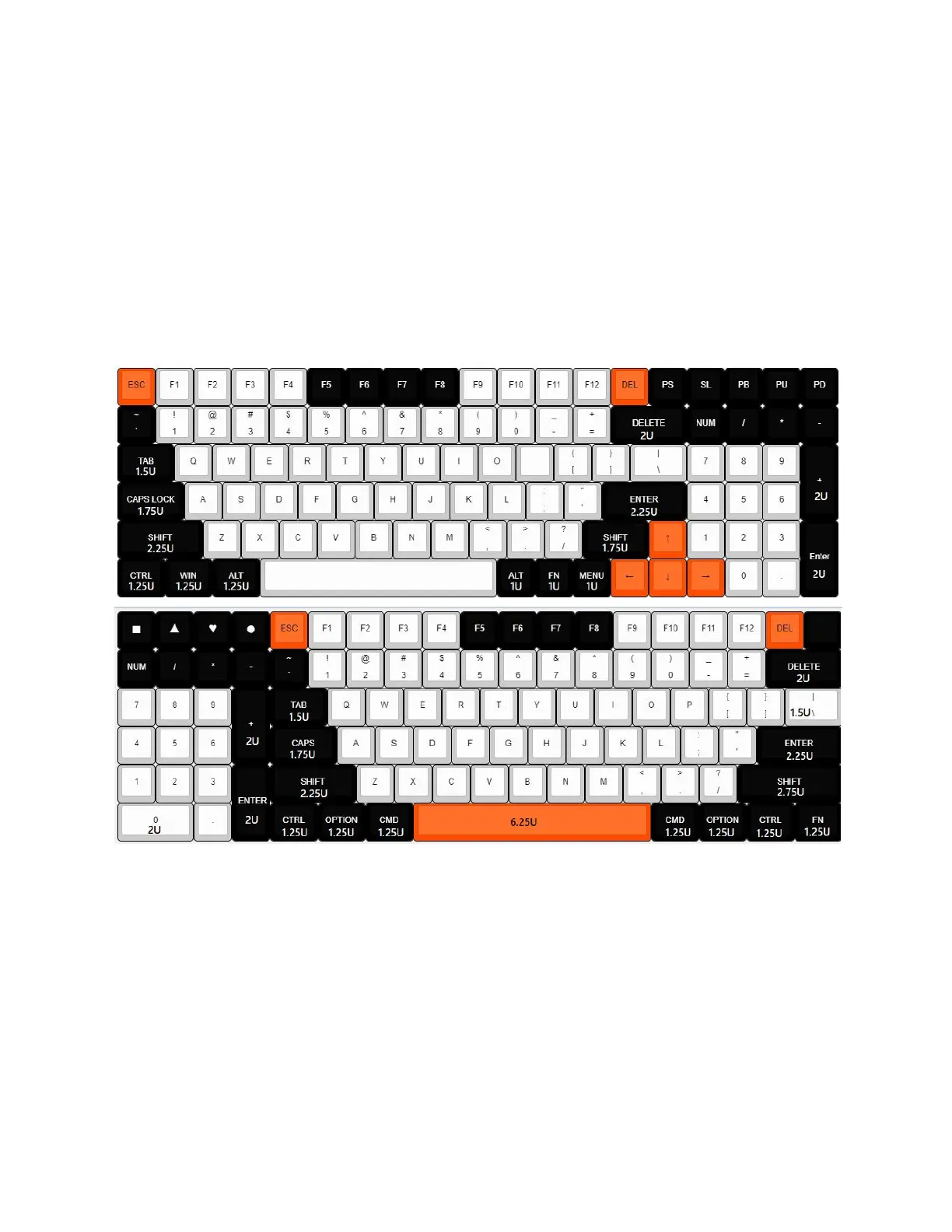
Keyboard Keycap Dimensions
The “units” of a keycap refer to a comparison between a one “unit” standard key. This is such
that a 2u key will be two units of a 1u key.
Changing Modes/Layers
Standard Layer
In this layer, you have preset configurations for the buttons to be pressed which you can see in
the manual above.
8



 To Next Page