Epomaker GS66 Extended Manual Version 1.0
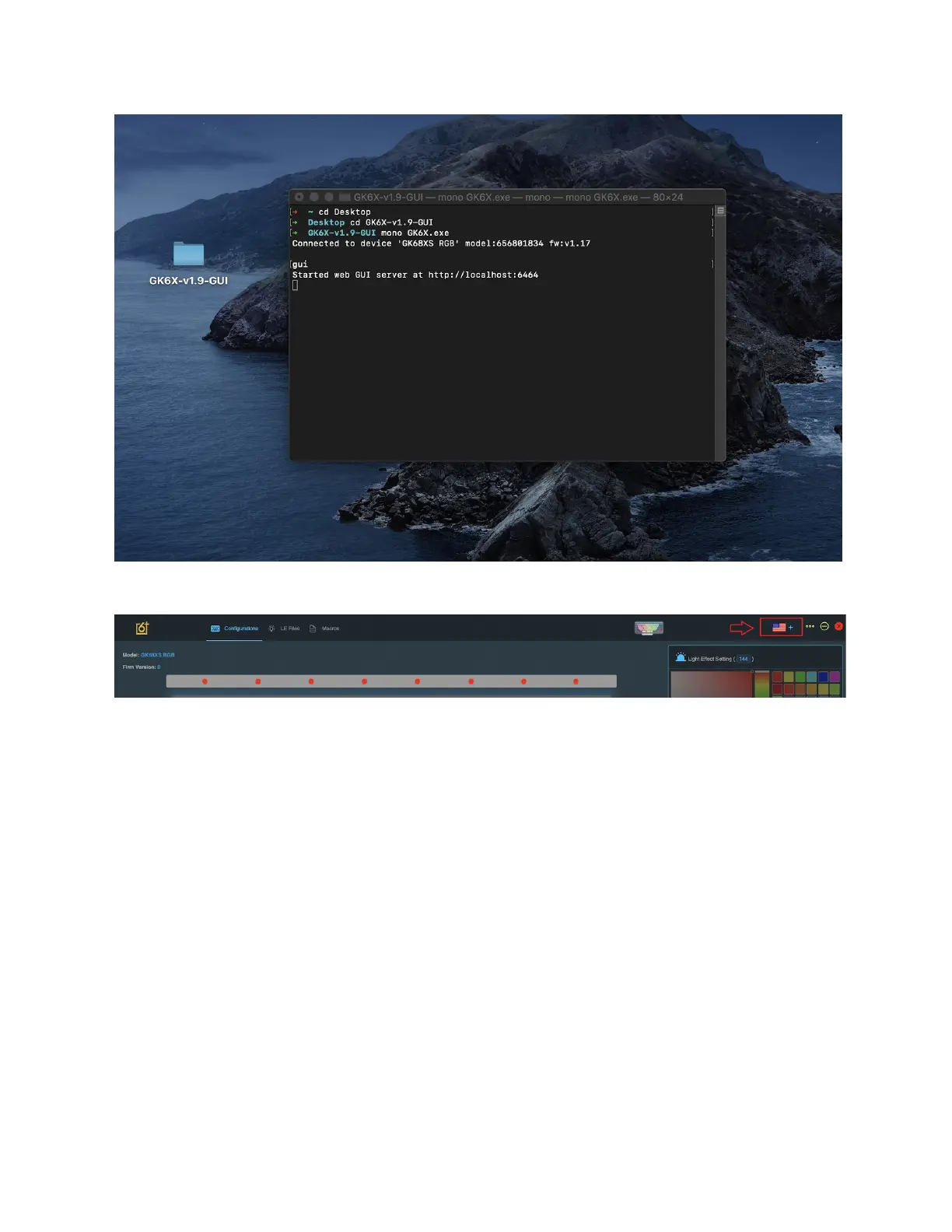
10. When you see that your device is successfully connected, you can then type gui to
launch the program.
11. The language might launch in Chinese by default. You can change this above by clicking
the flag and changing the option to English.
Software Tutorials
This section will show you how to use your GS66 for changing colours, macros and binds. In
order for your keyboard to be detected by the software, it needs to be connected with the given
USB-A to USB-C cable that came with the keyboard. Direct USB-C to USB-C connections will
NOT work.
27



 To Next Page