Epomaker GS66 Extended Manual Version 1.0
for the driver to interface and detect the software. You can use a dongle to connect your
keyboard to a USB-C connection on a Mac.
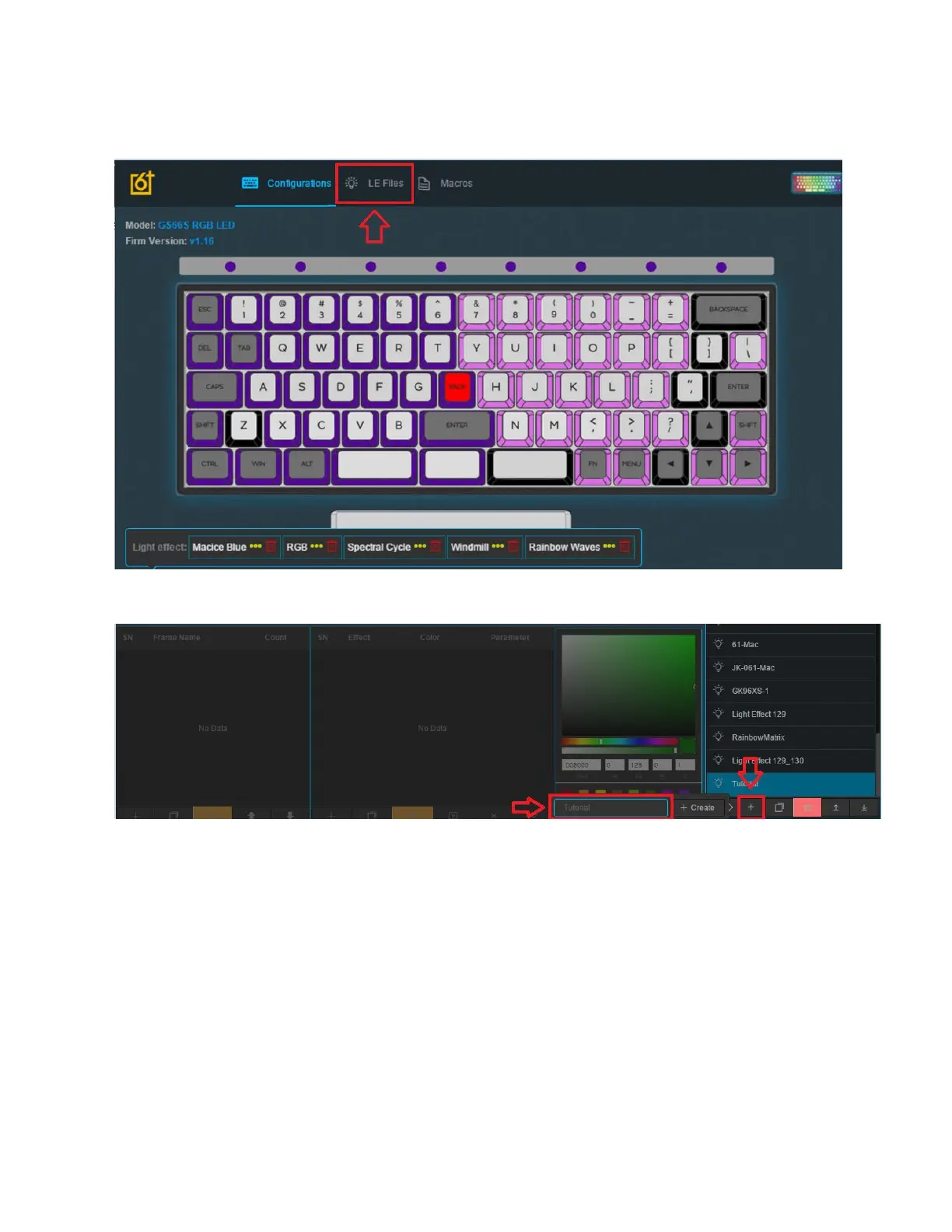
2. Launch the software and select “LE Files”, this is the section for creating lighting files.
We will go back to the “Configuration” Section later when we want to apply the lighting.
1111
3. Click the “+” Button to add a lighting effect to the LE File Management Module.
4. Enter the name that you want to call the lighting profile that you want to create.
29



 To Next Page