Epomaker GS66 Extended Manual Version 1.0
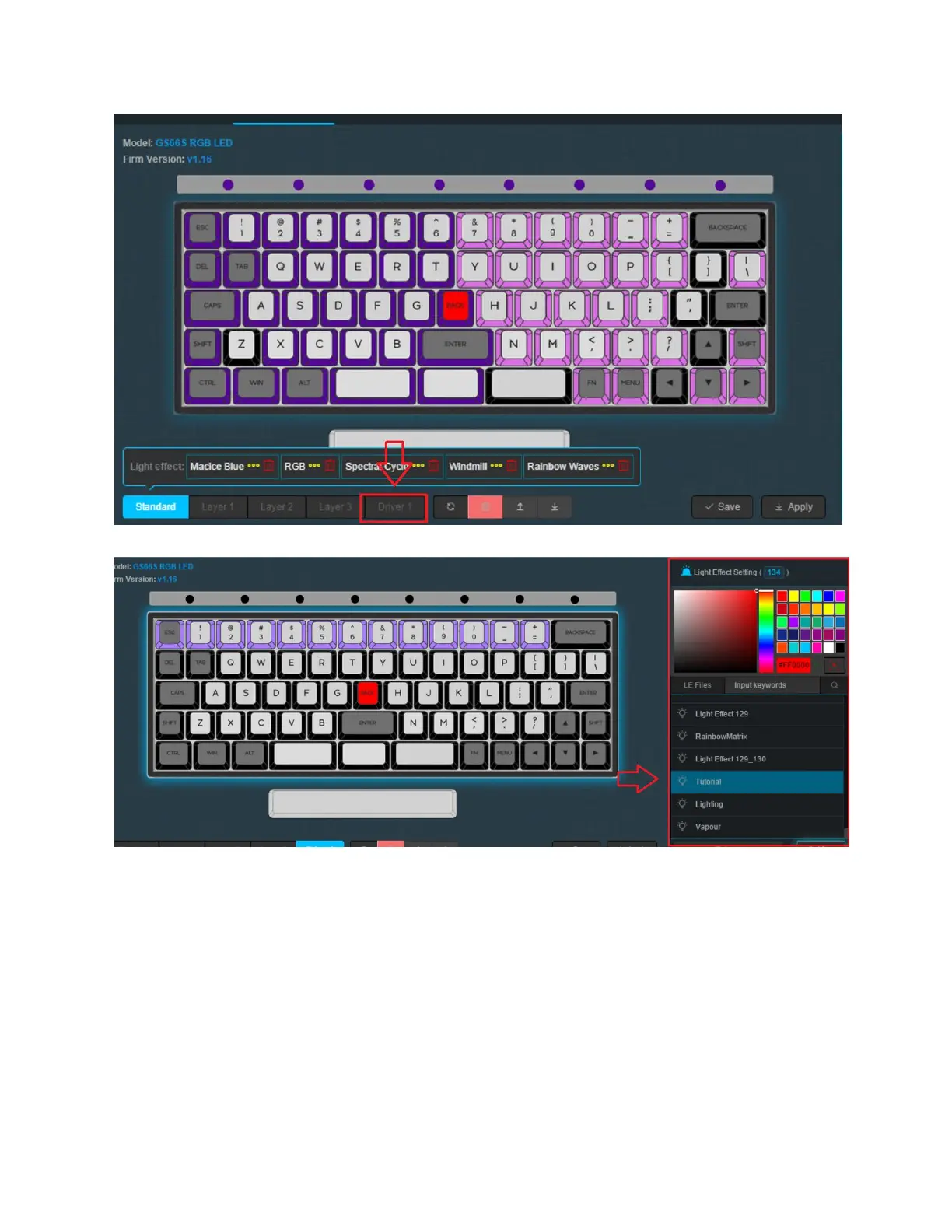
2. Click Driver 1 from the layers you can see above to access the Driver layer.
3. Click the side panel above, you will see different lighting effect options which you can
press. Press any or create your own. You can see how to do this in “Creating a Lighting
(.LE) File” above.
4. Click View, Apply and Save.
Add Onboard Lighting Effects
We’re going to be adjusting the on-board lighting effects. You can access these effects by using
FN + ] Until you reach the effect you created.
33



 To Next Page