Epomaker GS66 Extended Manual Version 1.0
My Mac Delete key is not working
On MacOS, the “Delete” key is used as the Backspace Key. In this case, you need to make sure
that your backspace isn’t binded to the Windows backspace because your Mac will not detect it.
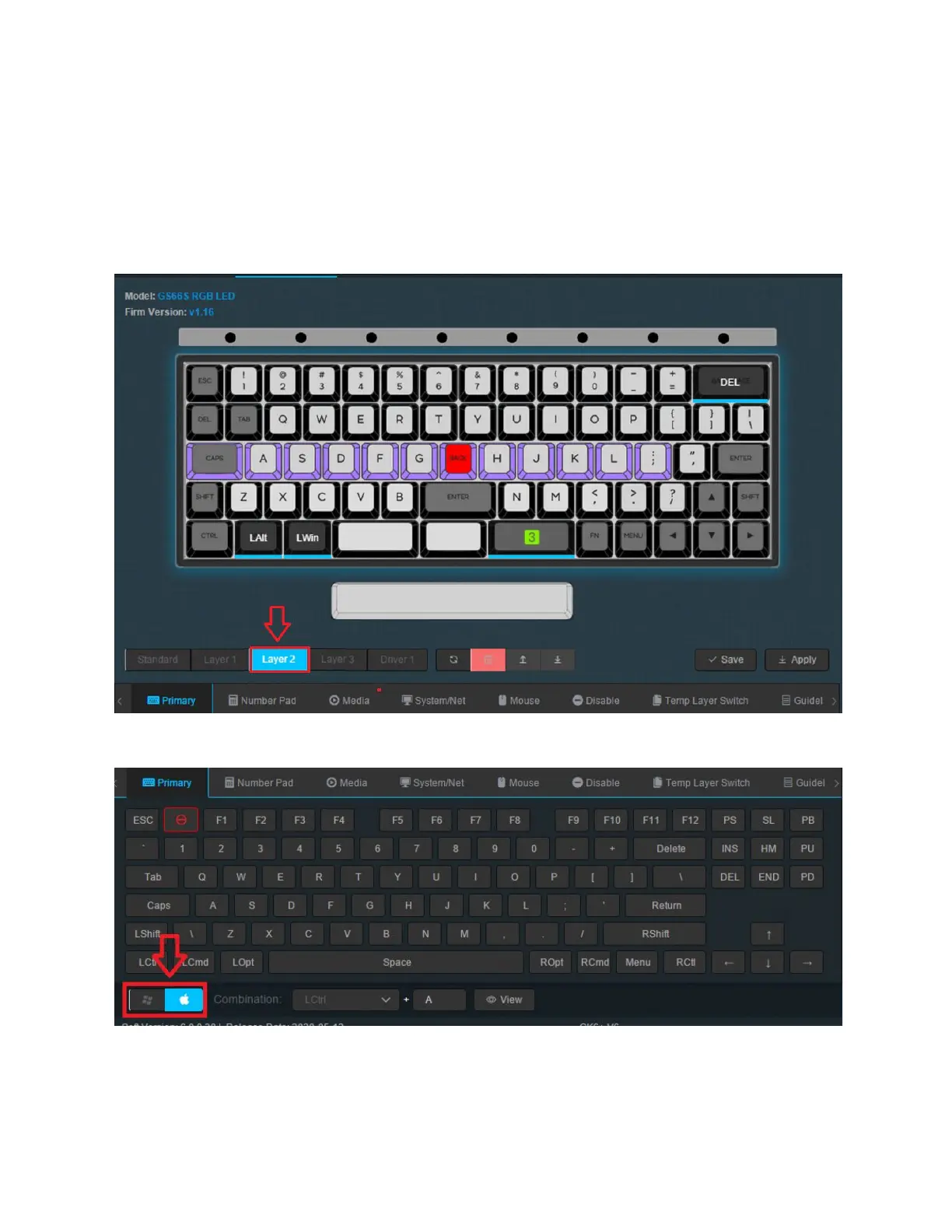
We will go through how to make the delete key binded in the Layer 2 “Mac Layer” to fix this.
1. Select Layer 2 for the MacOS layer. Here, you will see that the Command and Option
keys are swapped the right way around by default.
1. Select the Apple mode of keyboard from the selection. Here, you should see the familiar
layout for MacOS.
65



 To Next Page