Epomaker GS66 Extended Manual Version 1.0
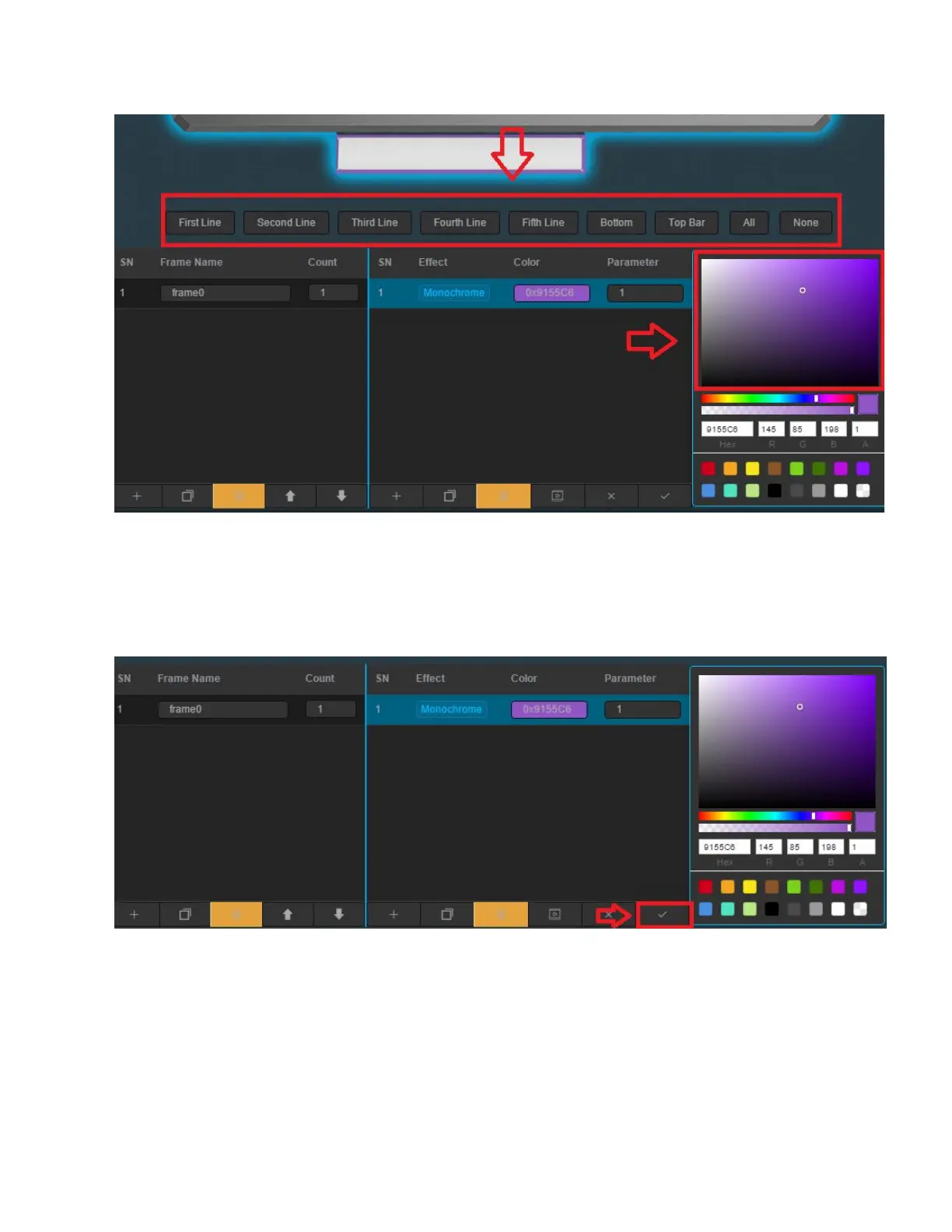
6. Select a setting and then change the colour using the colour wheel. Select the keys on
the keyboard you want the colour to use, or select from the buttons All, Top Bar, Bottom,
Fifth Line. Them press the Effect to confirm the location you want the colour on. Make
sure you do it in that order. In this case, I will make my keyboard a lavender purple and I
want it to cover all the buttons. So I make my colour selection by pressing the effect,
Press the “All” Keys, and then press the Monochrome effect again.
7. Click the tick icon near the colour wheel to confirm what colour settings you want.
31



 To Next Page