Epomaker GS66 Extended Manual Version 1.0
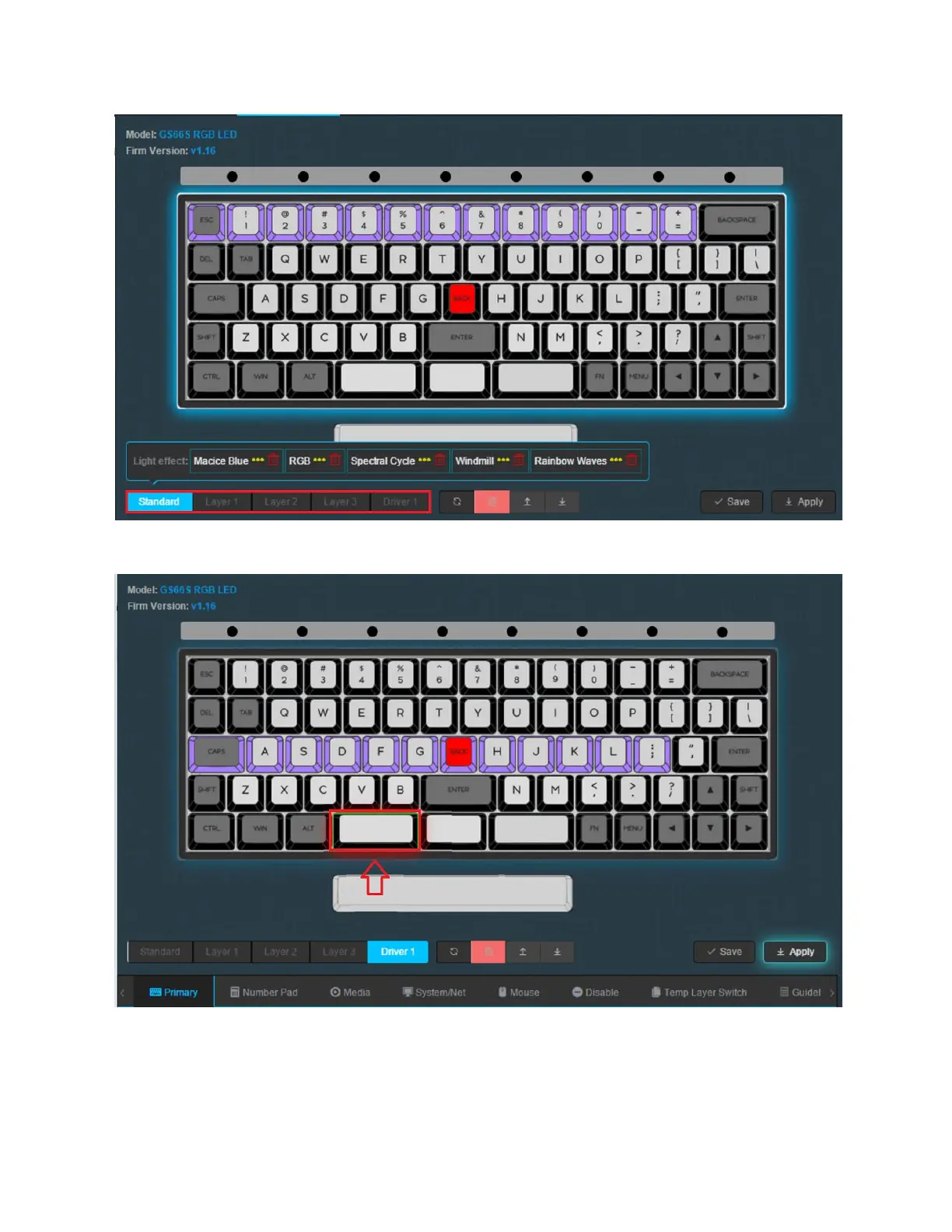
1. Select your layer, in this case, we are going to be adding our Key Combination to Driver
1,
2. Press the key on the animated keyboard that you would like to edit. In this case, We are
going to be assigning the larger portion of the split spacebar as the combination LCtrl +
R.
54



 To Next Page