Epomaker GS66 Extended Manual Version 1.0
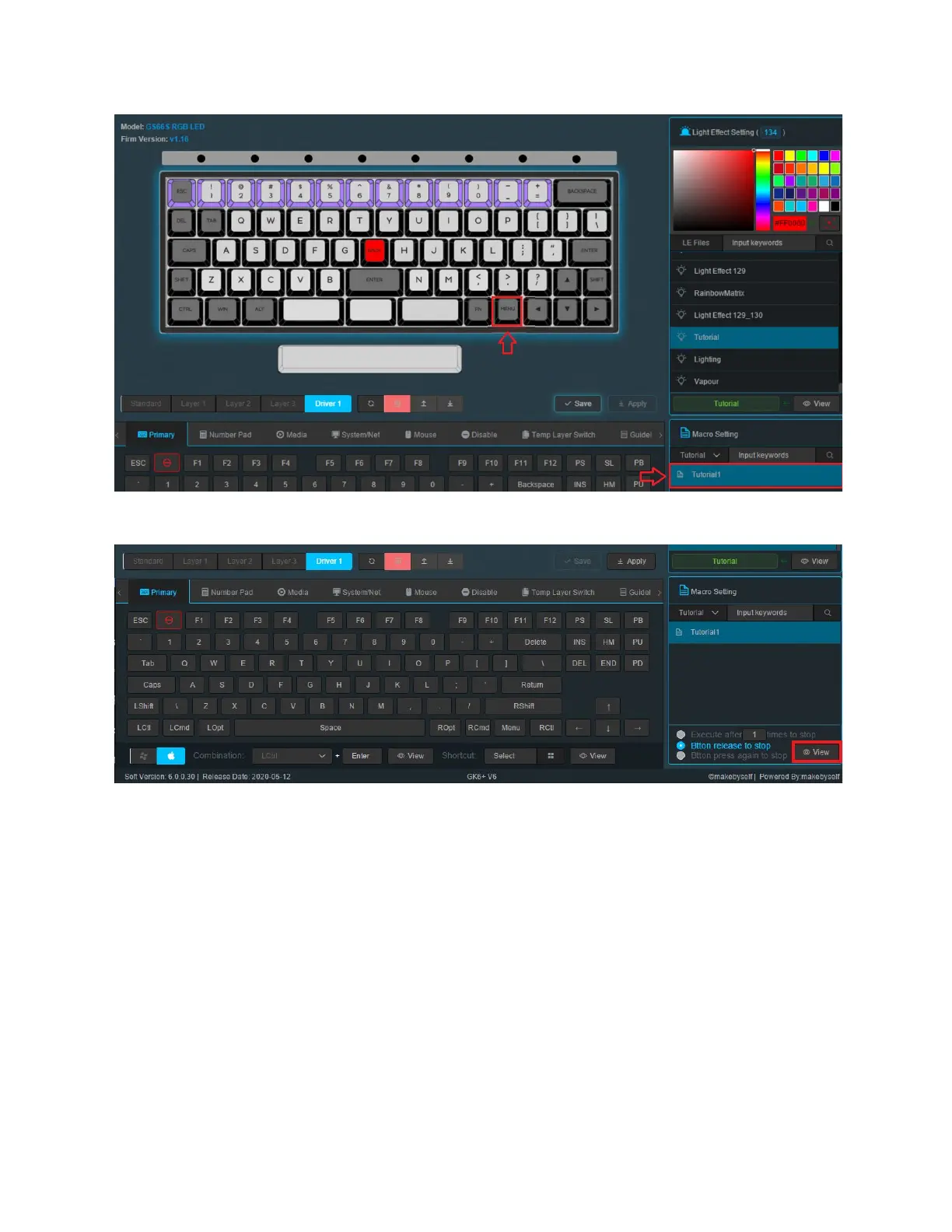
3. You will see the macro you created, press on the macro, and then press on the key you
would like to use it with, in this case we will run the macro on Right Alt.
4. After selecting the key and the macro, click view and you will see the macros name
flashing on the key.
5. Click Save and Apply.
63



 To Next Page