Installation
Mastercycler
®
nexus
English (EN)
30
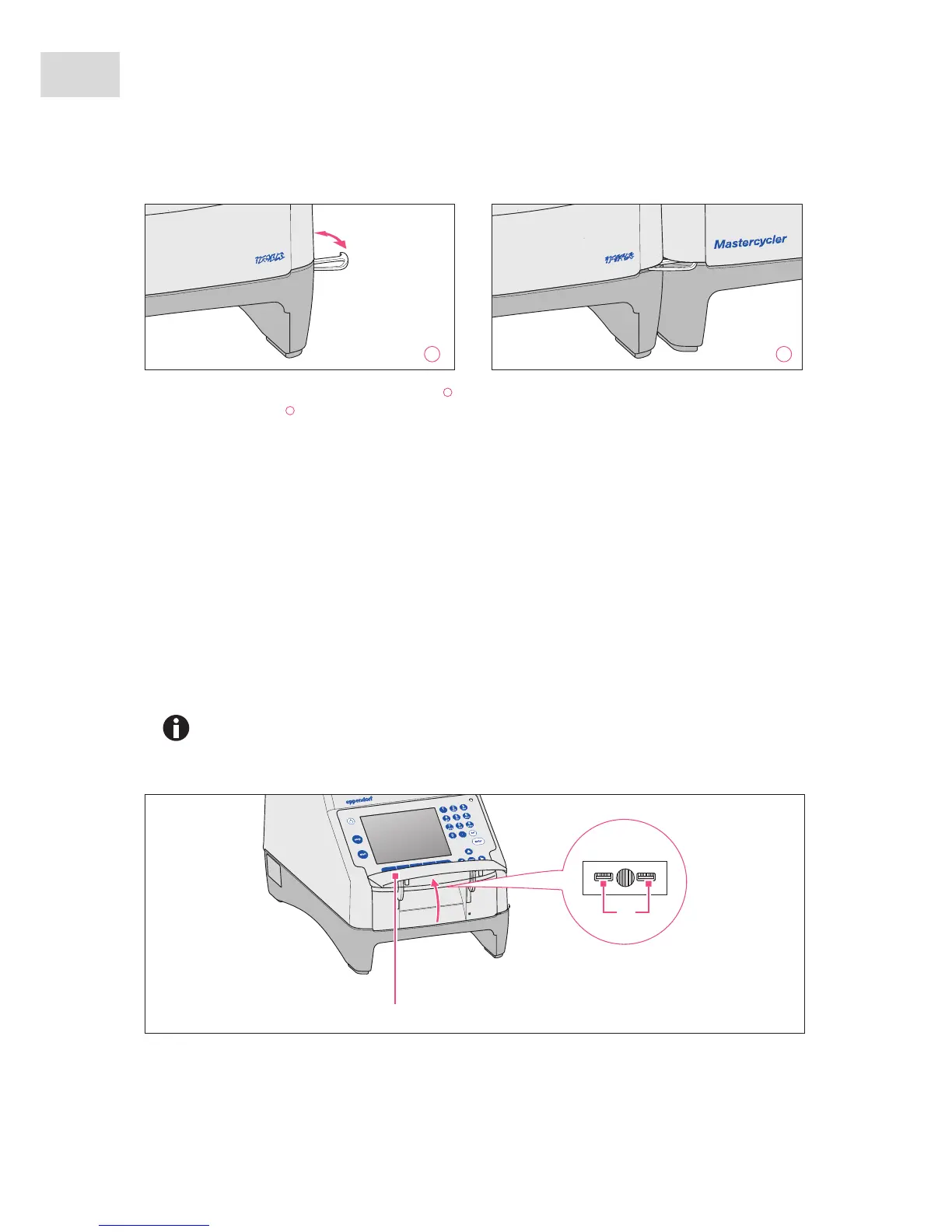
1. Position the devices next to each other.
2. Fold out the bracket of the device on the left . Insert the bracket into the recess in the housing of the
device on the right .
3. Align the devices attached to each other in parallel.
4.2.3 Separating devices
1. Switch off the devices at the power switch. Disconnect the cable connections at the rear of the devices.
2. Hold the bracket and push the device on the right back until the bracket comes out of the recess in the
housing.
3. Fold the bracket away.
4.2.4 Using the USB ports
The master variants of the Mastercycler nexus have two USB ports for the connection of a mouse, printer,
storage medium or the self-test USB key.
•Use a USB hub if you would like to connect more than two USB devices at the same time.
•The USB printer must be compatible with the PostScript
®
or PCL printer standards.
Further information can be found in the operating manual for your printer.
•The eco devices do not have any USB ports.
1 2



 To Next Page