Operation
Mastercycler
®
nexus
English (EN)
36
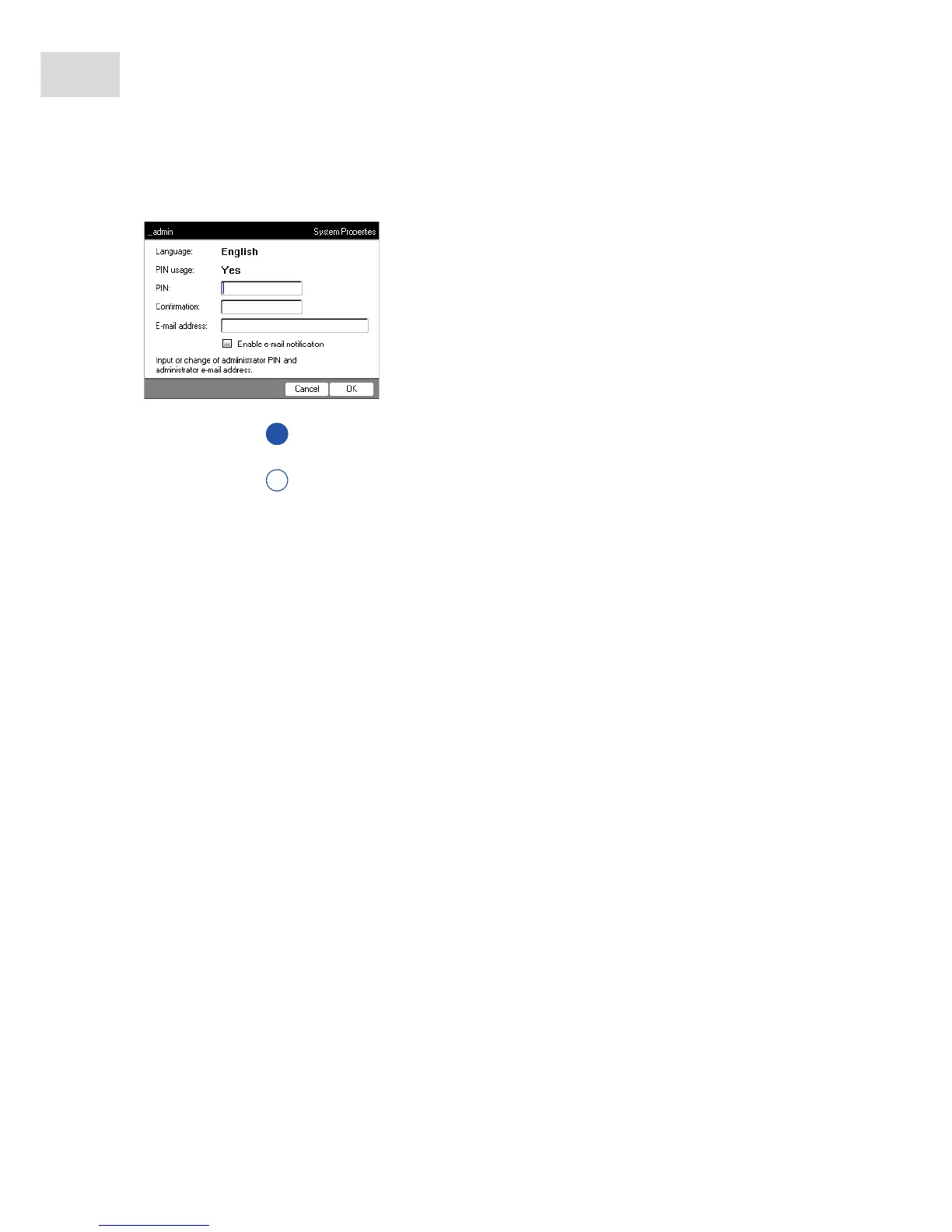
To define the administrator PIN, perform the following steps in the sequence described.
After the successful confirmation of the administrator PIN, the navigation tree appears on the display. You
are now logged in as the administrator.
5.2.2 Other steps
5.2.2.1 Changing the language
You can change the language of the user interface of the Mastercycler nexus (see System settings on p. 70).
5.2.2.2 Set date and time
The date and time are shown in the upper right corner of the display. As the administrator, you can change
this internal clock at any time (see System settings on p. 70).
5.2.2.3 Setting up user accounts
To be able to use the Mastercycler nexus, you must set up at least one user account. Detailed information
on user management and how to set up user accounts can be found separately (see Managing user accounts
on p. 67).
1. Switch on the Mastercycler nexus at the power switch.
The Input Admin PIN window appears.
2. Enter the desired administrator PIN using the numeric keys.
3. Re-enter the PIN in the Confirmation: field.
4. An error message appears if the two PIN entries do not
match. If this happens, delete the incorrectly entered PIN
and reenter the PIN twice.
5. Optional: enter the administrator's e-mail address for
receiving messages from the Mastercycler nexus in the
E-mail address: field (see p. 81).
6. Optional: select Enable e-mail notification to activate e-mail
notifications for the administrator.
7. Press the OK softkey.



 To Next Page