14
Assembling steps
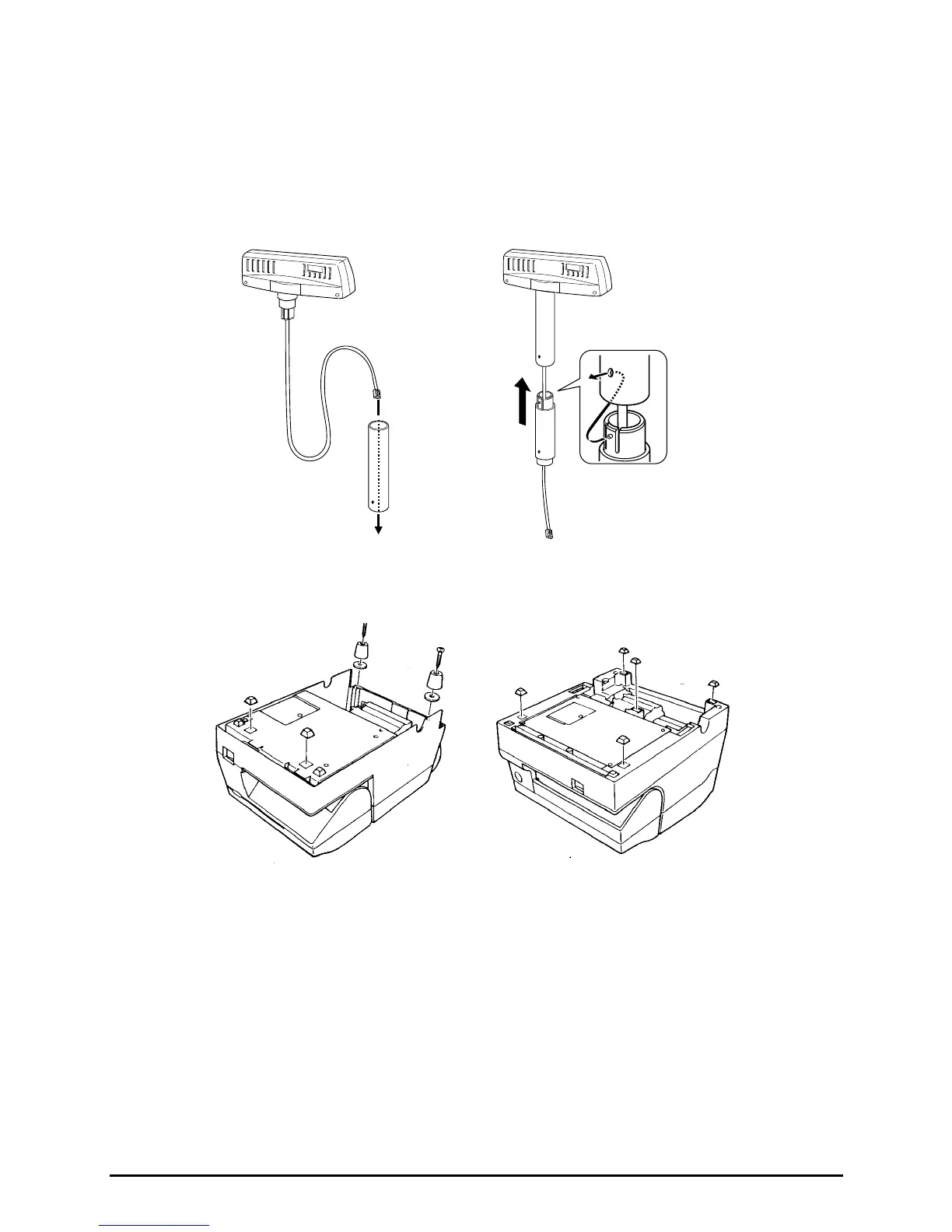
1. Pass the cable for the DM-D500 through support C, and attach
support C to the DM-D500.
When using support B for extension, insert the tab on support B
into the hole on support C until you feel it click.
2. Attach the rubber feet to the printer.
When using support B
for extension
[TM-U375]
[TM-U950]



 To Next Page