Printing From Start to Finish 31
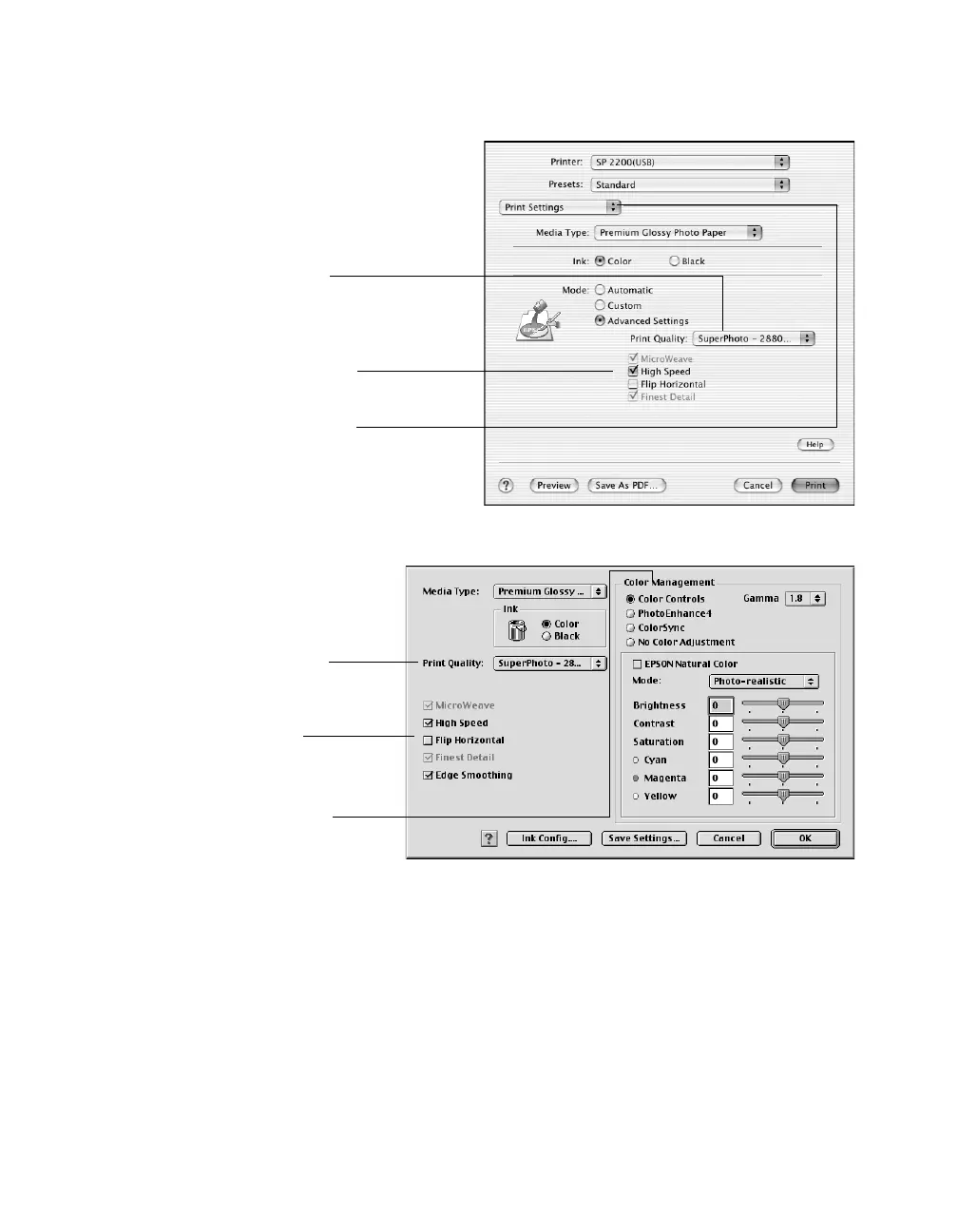
5. Select these advanced settings as necessary:
Note: For more information on advanced settings, or instructions on saving them
as a group so you can reuse them later, click Help (OS X) or ? (OS 8.6 to 9.x).
6. OS X: Click Print.
OS 8.6 to 9.x: Click OK to save your settings, then click Print.
Macintosh OS 8.6 to 9.x
Select color management
settings here
Click here to select a different
print quality for your paper
type
Select various print
options here
Macintosh OS X
Select various print options here
To select color management
settings, select Color
Management from the Print
Settings pull-down menu
Click here to select a
different print quality for your
paper type










 To Next Page