Printing From Start to Finish 49
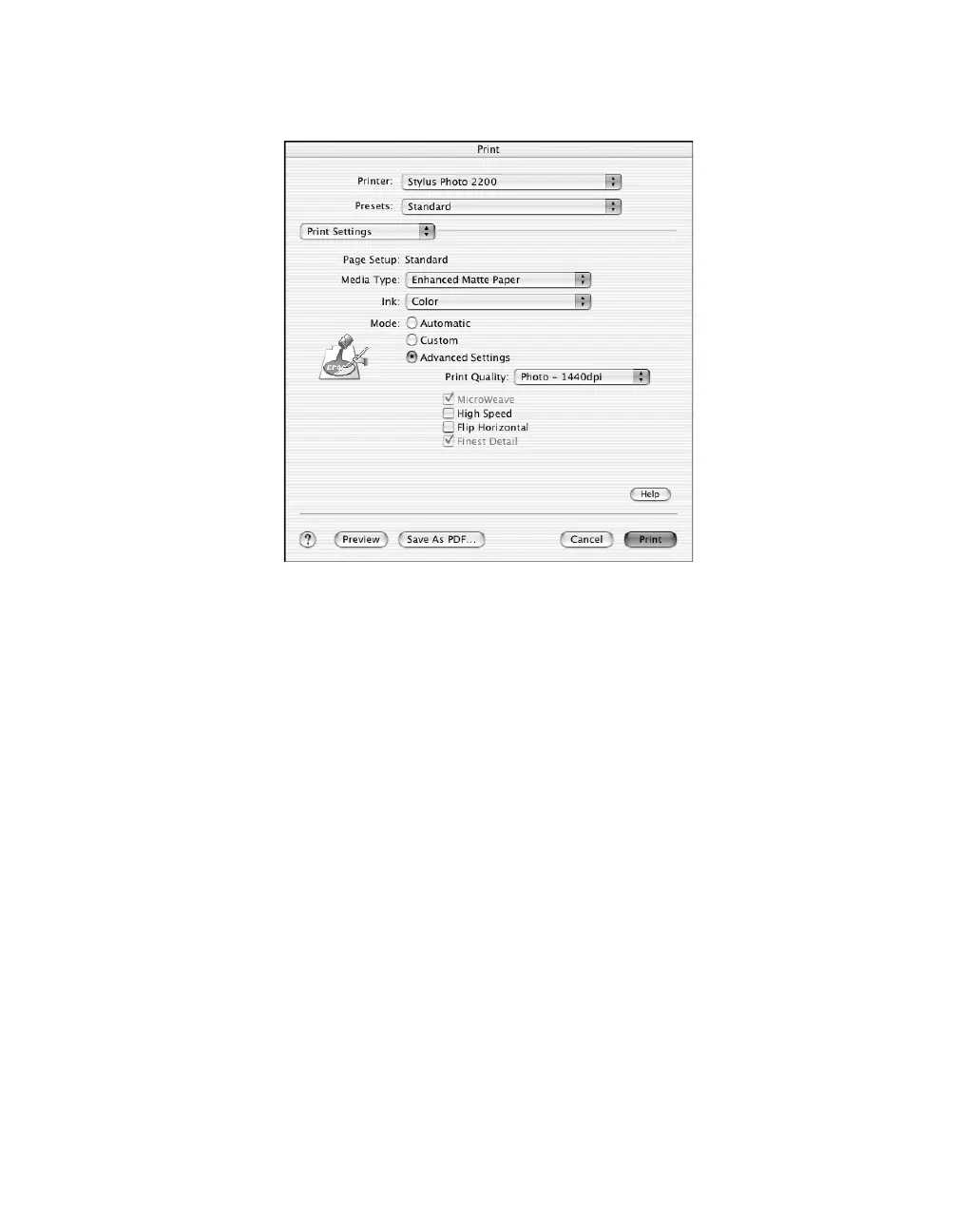
4. Select the Type or Media Type setting for the profile you’re printing.
5. Macintosh OS X: Click the Advanced Settings button.
Macintosh 8.6 to 9.x: Click Custom, then click the Advanced button.
6. We recommend that you select Photo - 1440 dpi as the Print Quality setting,
though you can select a lower or higher quality setting.
7. We also recommend that you turn off the High Speed and Edge Smoothing
options, if they are available.










 To Next Page