Printing From Start to Finish 51
Macintosh OS X
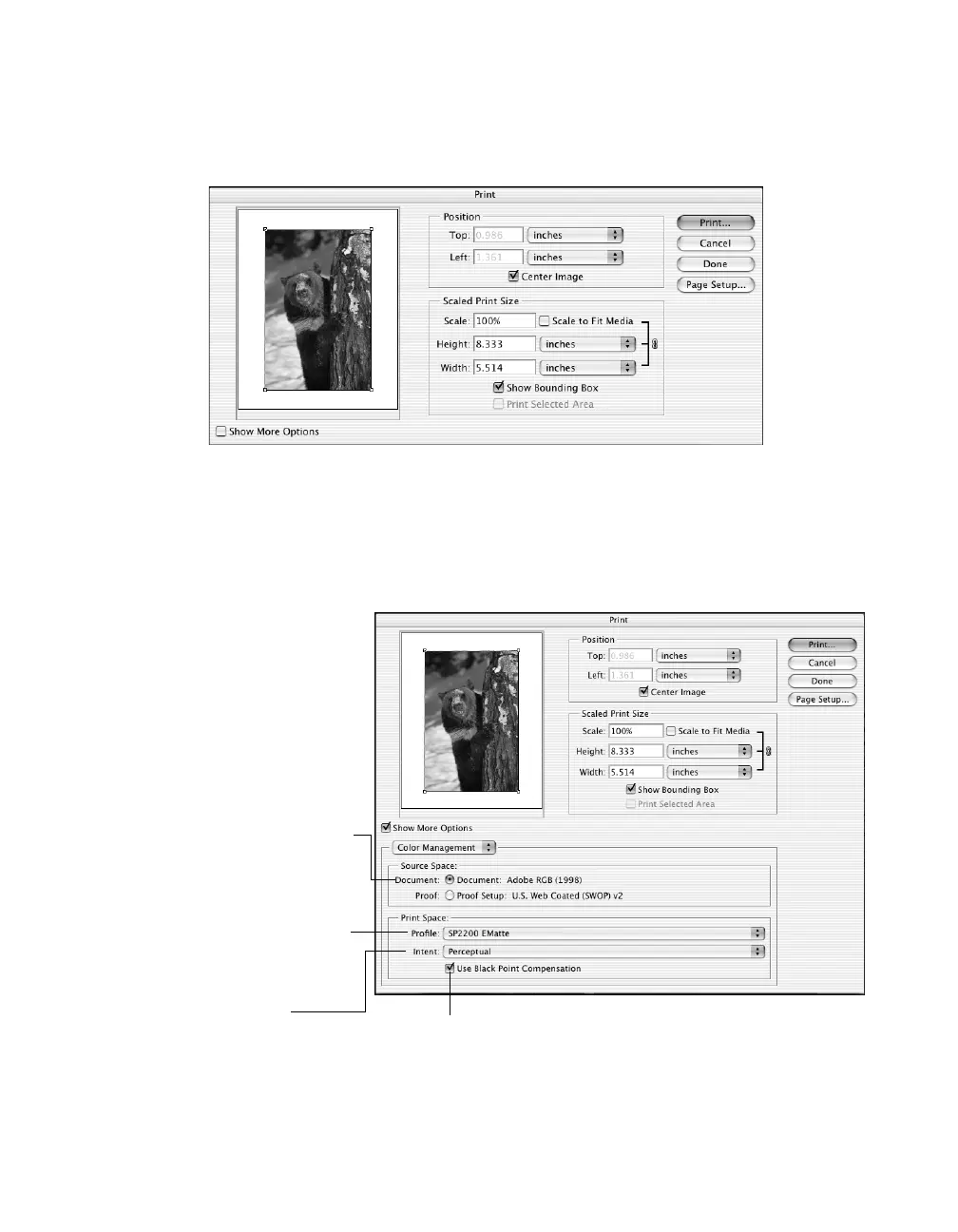
1. Select File > Print with Preview. You see this window:
2. If necessary, click the Page Setup button to change the page size and orientation
settings.
3. Click Show More Options, then select Color Management. Additional
options appear:
4. Under Print Space, select the printer profile you created for your printer and
paper in the Profile list.
Source Space: If the photo is tagged
with a source profile, it is listed as
the Document option
Print Space - Profile: Select your
custom printer profile from the
pull-down menu (such as SP2200
EMatte)
Print Space - Intent: Select
Perceptual or Relative
Colorimetric
Check Use Black Point Compensation










 To Next Page