Custom Printing
3-7
Customizing Color Settings
You can choose from several color adjustment modes or
manually adjust brightness, contrast, and saturation. For
professional color correction, you can set individual CMY color
values. To achieve the maximum color accuracy, you can use
Image Color Matching (ICM) under Windows 95 or
ColorSync on the Macintosh.
Follow these steps to customize your color settings:
1. Access the More Settings dialog box as described on
page 3-4.
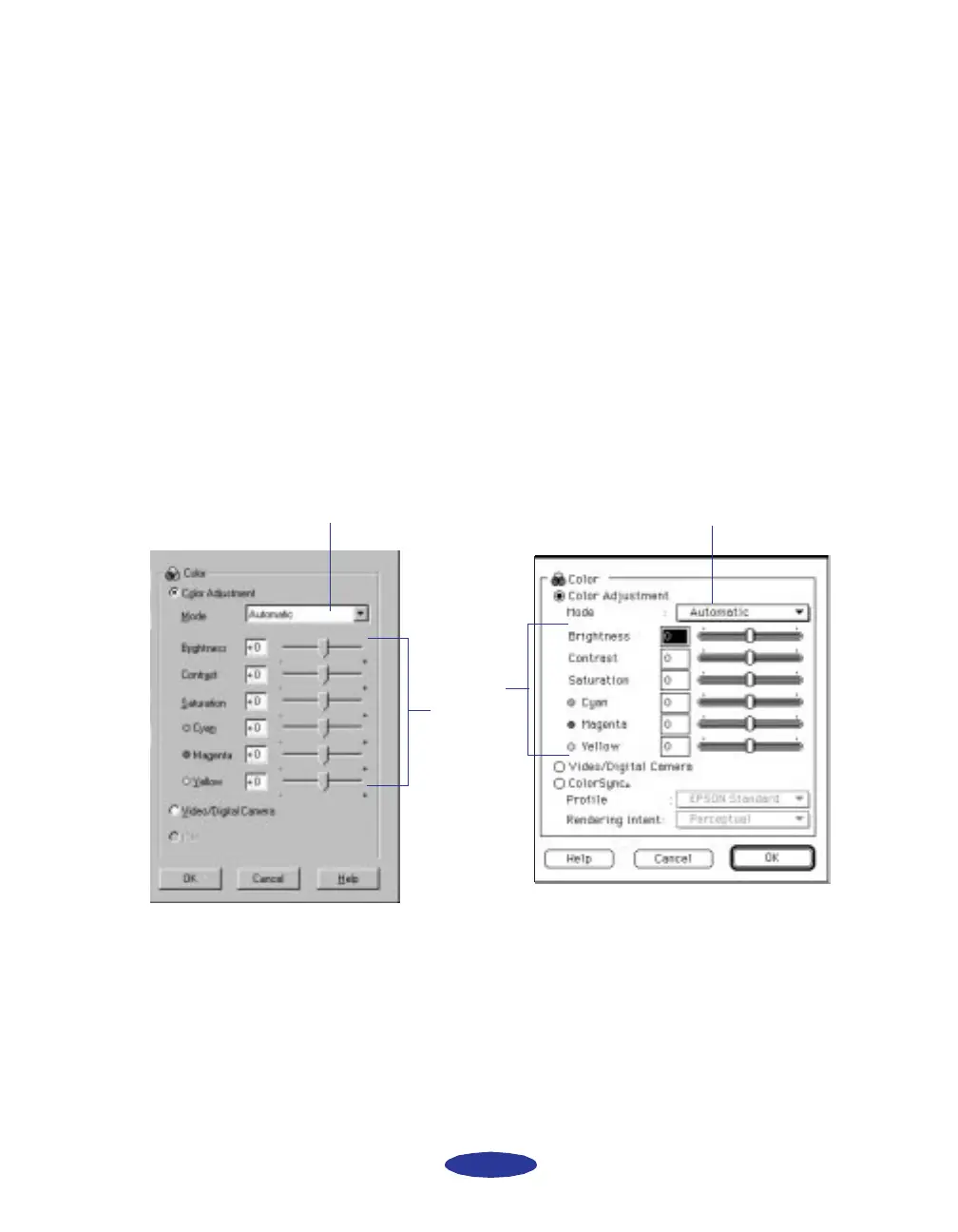
The color settings appear on the right side of the dialog
box, as shown:
Windows
Click to set Color Adjustment Mode.
Drag
sliders to
set
values
between
-25% and
+25%.
Click to set Color Adjustment Mode.
Macintosh
easch3.fm5 Page 7 Monday, November 25, 1996 4:35 PM



 To Next Page