Maintenance and Transportation
5-4
Installing the New Cartridge
Once you have removed the empty cartridge, you’re ready to
install the new one. Follow these steps:
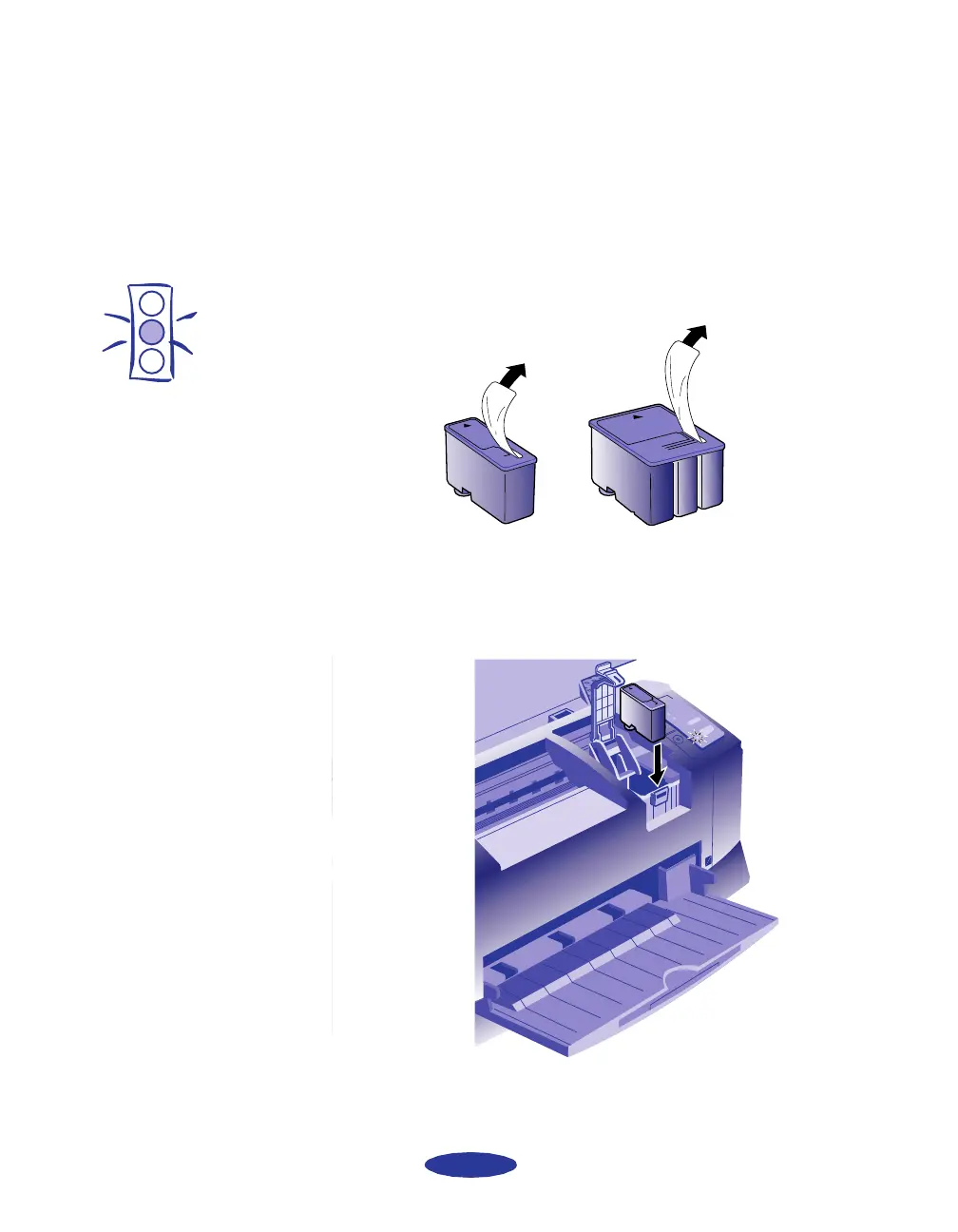
1. Remove the new ink cartridge from its packaging.
2. Remove the yellow tape seal as shown:
3. Lower the ink cartridge into its holder with the label facing
up and the arrow pointing to the back of the printer.
4. Press down the ink cartridge clamp until it locks in place.
Caution:
You must remove the
yellow tape seal from the
top of the cartridge;
leaving the tape on will
permanently damage it.
Do not remove the clear
seal from the bottom of
the cartridge; ink will leak
out.
black cartridge color cartridge
easch5.fm5 Page 4 Monday, November 25, 1996 4:43 PM



 To Next Page