22 Setting Up the Projector
Turning Off the Projector
1. Turn off any equipment connected to the projector.
2. Press the
Off button on the remote control, or press the Power button on the projector
twice.
3. When the Ppower light stops flashing orange and stays on, turn off the projector’s power
switch on the back.
It is now safe to unplug the projector, if necessary.
Caution: Turn off this product when not in use to prolong the life of the projector. Continuous
24-hour-a-day use may reduce the overall life of the product. Never unplug the projector without
turning it off and letting it cool as described above, or you could damage it and reduce lamp life.
Selecting the Image Source
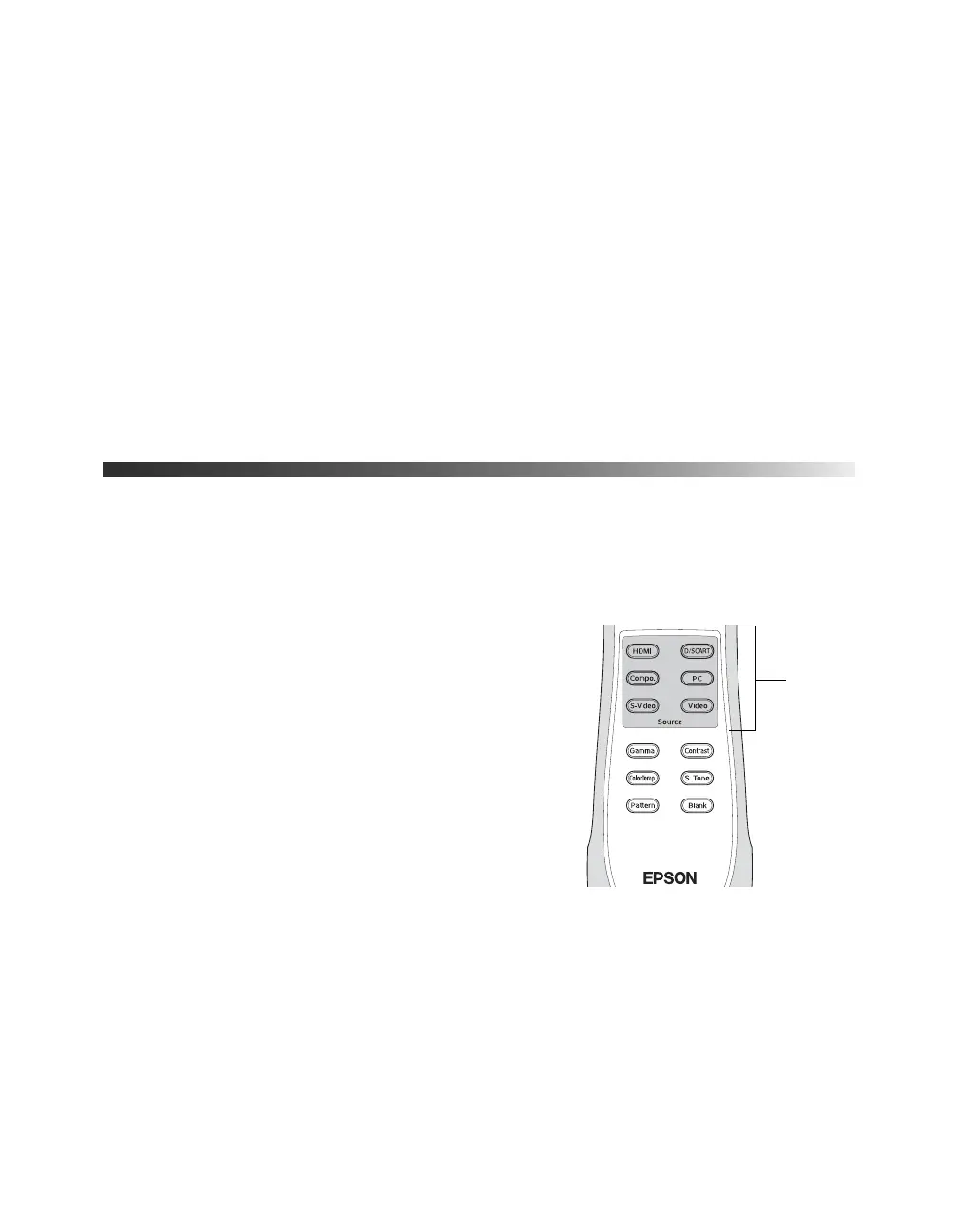
The Source buttons on the projector and remote control let you switch between images from
different pieces of equipment connected to the projector (such as a DVD player, cable or
satellite box, or video game console).
Press the
Source button on the remote control that
corresponds to the port to which your video source is
connected.
g an image from the [Compon
Source
buttons
PowerLite Cinema Pro 810.book Page 22 Thursday, December 6, 2007 11:25 AM



 To Next Page