Maintenance 49
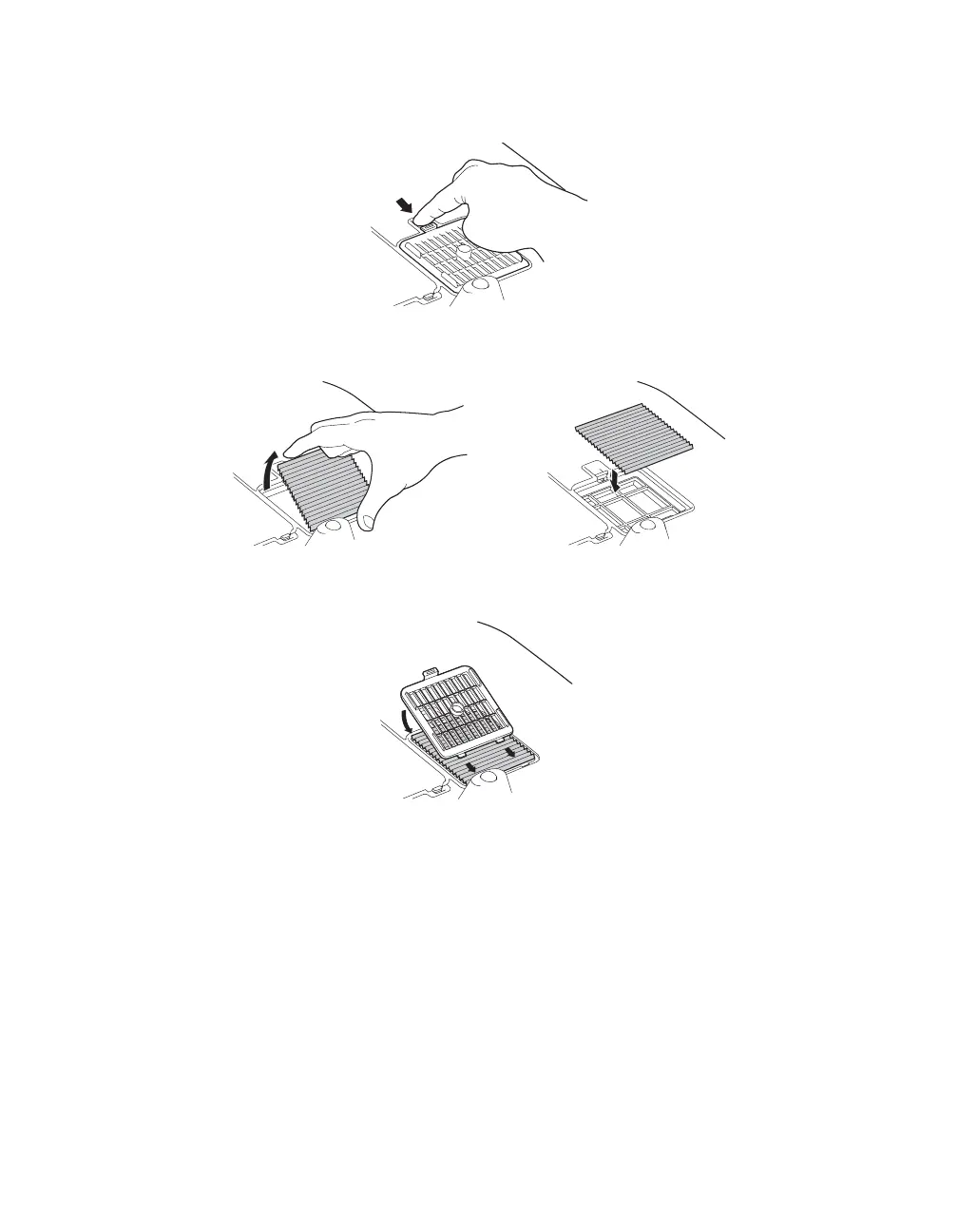
5. If you need to replace the filter, release the tab and lift up the cover.
6. Remove the old filter and replace it with a new one.
7. To replace the cover, insert the tabs and press down until the cover clicks into place.
PowerLite Cinema Pro 810.book Page 49 Thursday, December 6, 2007 11:25 AM


 To Next Page