Custom Printing
3-2
Using Predefined Advanced
Settings
Predefined settings provide an easy way to fine-tune your
printer’s operation for special image types. Follow these steps to
print with predefined settings:
1. Create your image or document in your application
software.
2. Access the printer settings dialog box as described on
page 1-2 (Windows) or page 1-8 (Macintosh).
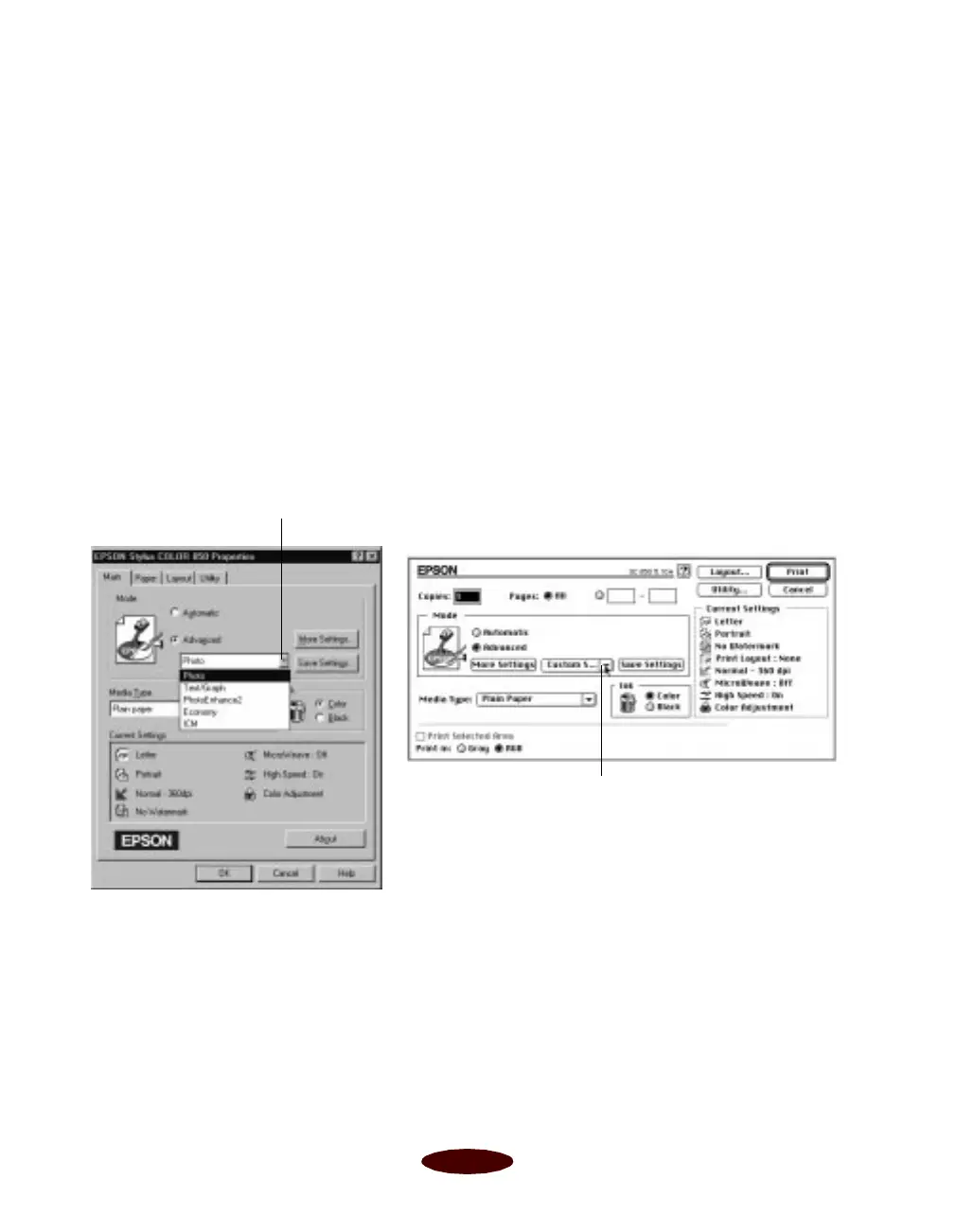
You see one of the following dialog boxes:
3. Choose
Color or Black ink.
4. Click
Advanced, and then Custom Settings. You see the
list of project types.
Windows
Click Advanced, then click here to
see a list of project types
Macintosh
Click Advanced, then click here
to see a list of project types
Easch3.fm5 Page 2 Tuesday, March 24, 1998 1:14 PM



 To Next Page