Custom Printing
3-5
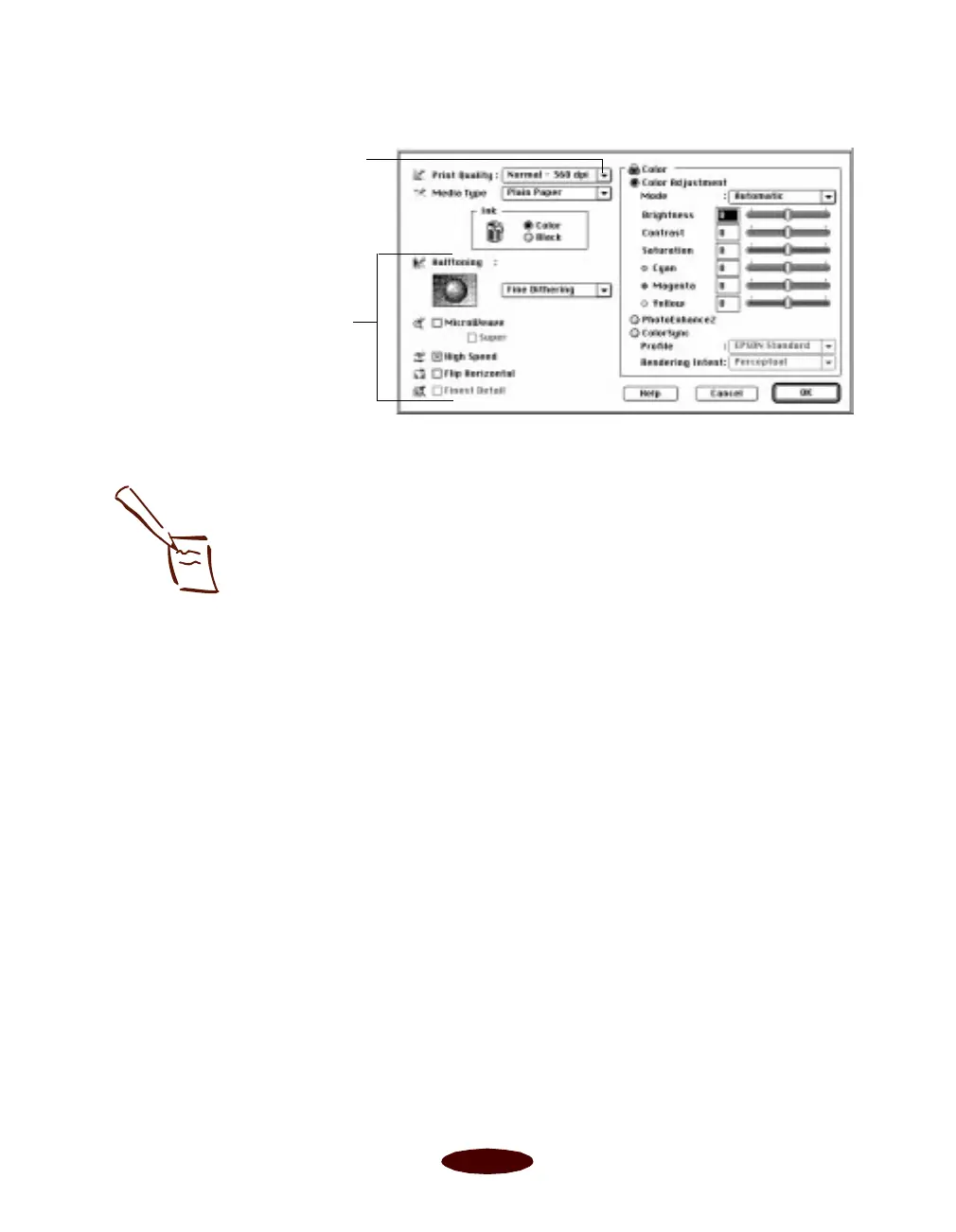
4. Choose one of the following
Print Quality options:
◗ Economy
For low-resolution rough drafts on plain paper. Saves
ink.
◗
Normal - 360 dpi
For most documents on plain paper, transparencies, or
360 dpi Ink Jet paper.
◗
Fine - 720 dpi
For high-resolution output on plain paper, Photo
Paper, or Photo Quality media.
◗
SuperFine - 1440 dpi
For the highest-resolution output on plain paper,
Photo Paper, or Photo Quality media.
5. Choose the
Media Type
and
Ink
settings you want to use,
following the guidelines in Chapters 1 and 2.
Macintosh
Some of these options
are automatically set
or disabled by other
settings you choose
Click here to change your
Print Quality (resolution)
Note:
The Print Quality is
selected automatically
depending on the current
Media Type. If you
choose a Print Quality
setting that is not
appropriate for your
media, the driver changes
the Media Type setting.
Be sure to check both of
these settings.
Easch3.fm5 Page 5 Tuesday, March 24, 1998 1:14 PM



 To Next Page