19
Part Names and Functions
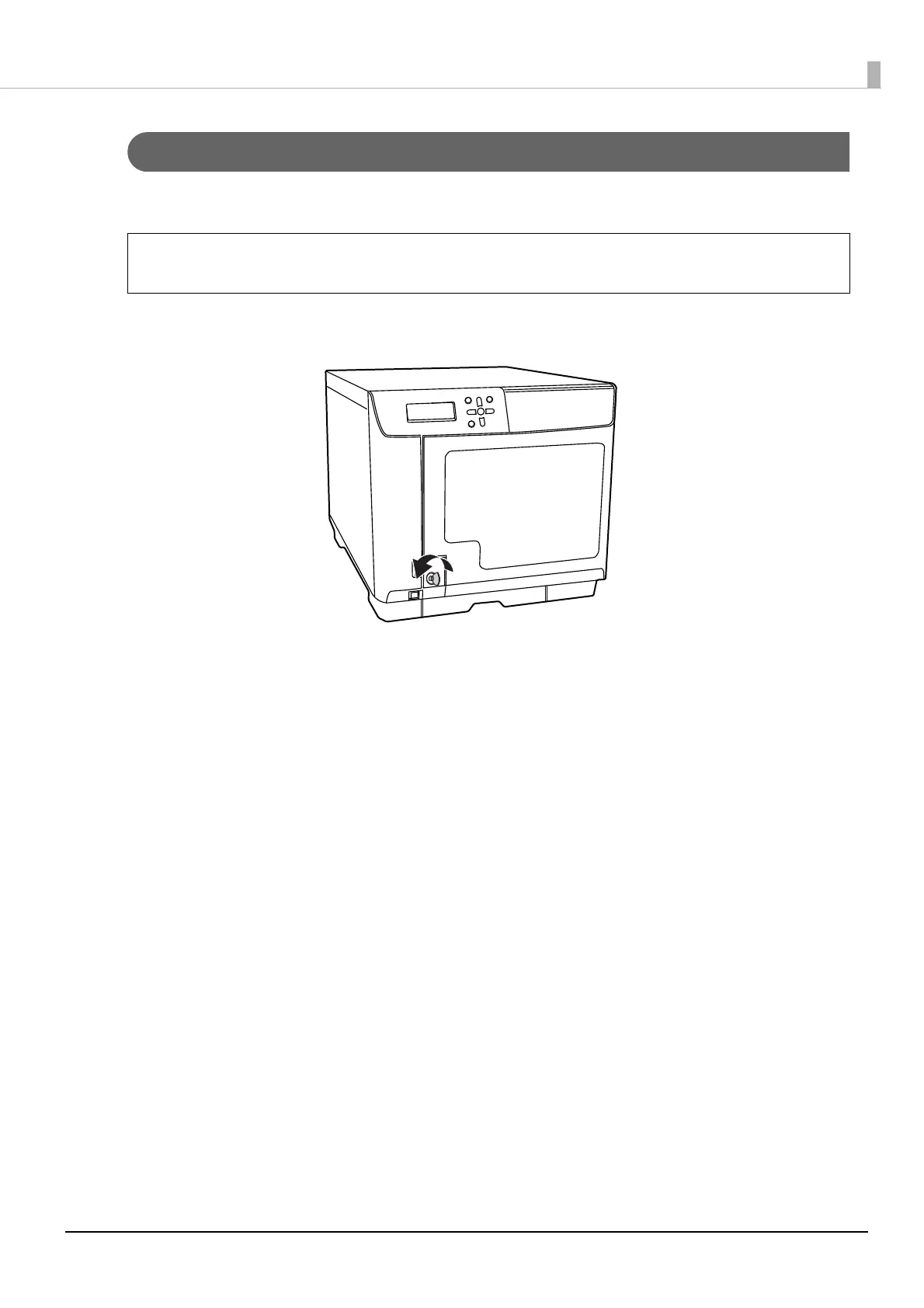
Unlocking the disc cover
If the security lock switch is set to on, the disc cover is locked automatically each time it is closed. To unlock the disc
cover lock, use the disc cover key.
Insert the disc cover key into the disc cover lock, and turn it to the [UNLOCK] position.
If the security lock switch is set to off, the disc cover lock always remains unlocked.


 To Next Page