17
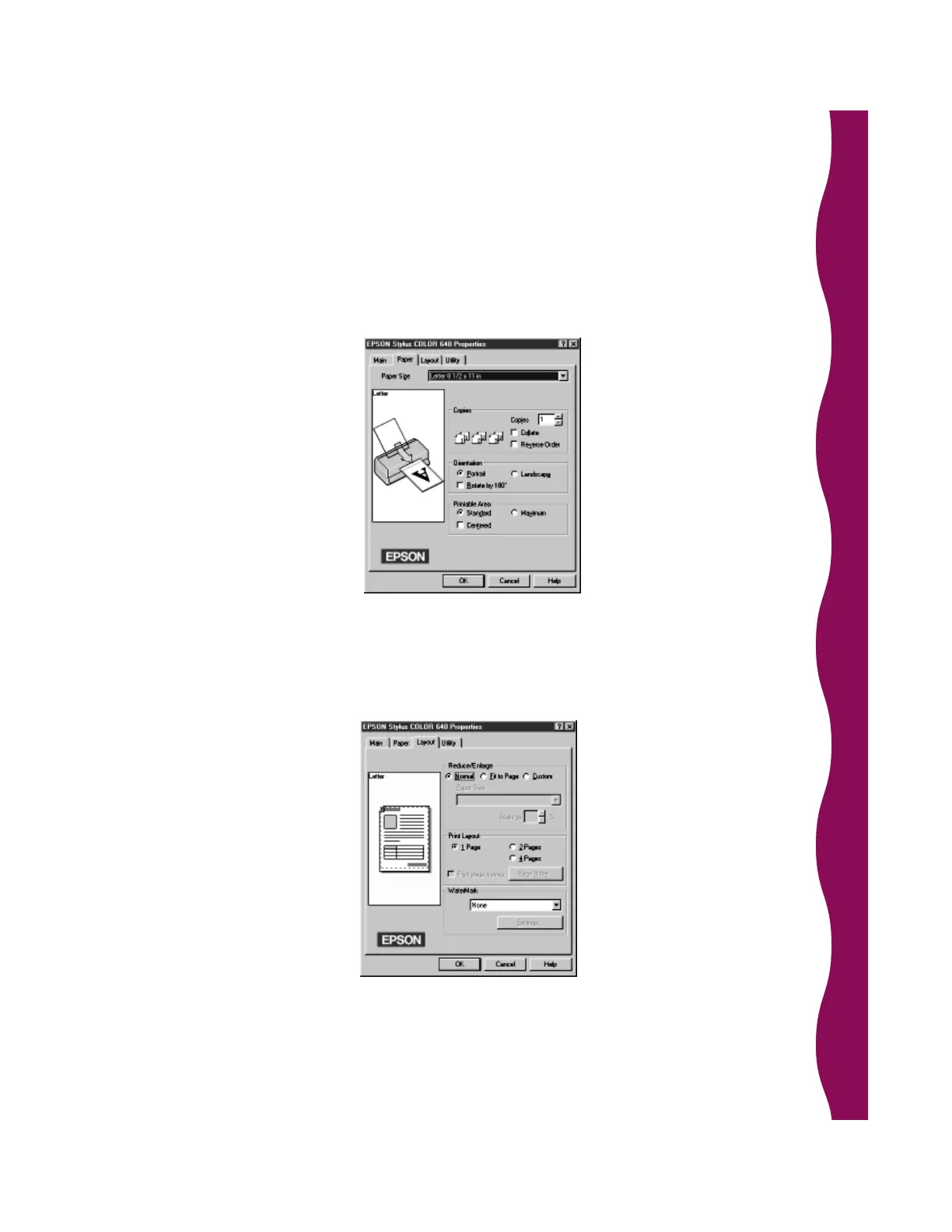
11. Click the Paper tab to change the paper size, number of copies to print, or
page orientation. If you loaded EPSON 4 x 6 inch Photo Paper, change the
paper size to Photo Paper 4 x 6 in.
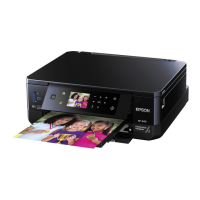
12. Click the Layout tab (not available in Windows 3.1) if you want to change
the size of your image (for example, if it is too large to fit on your paper),
print multiple pages on one sheet, or add a watermark.










 To Next Page