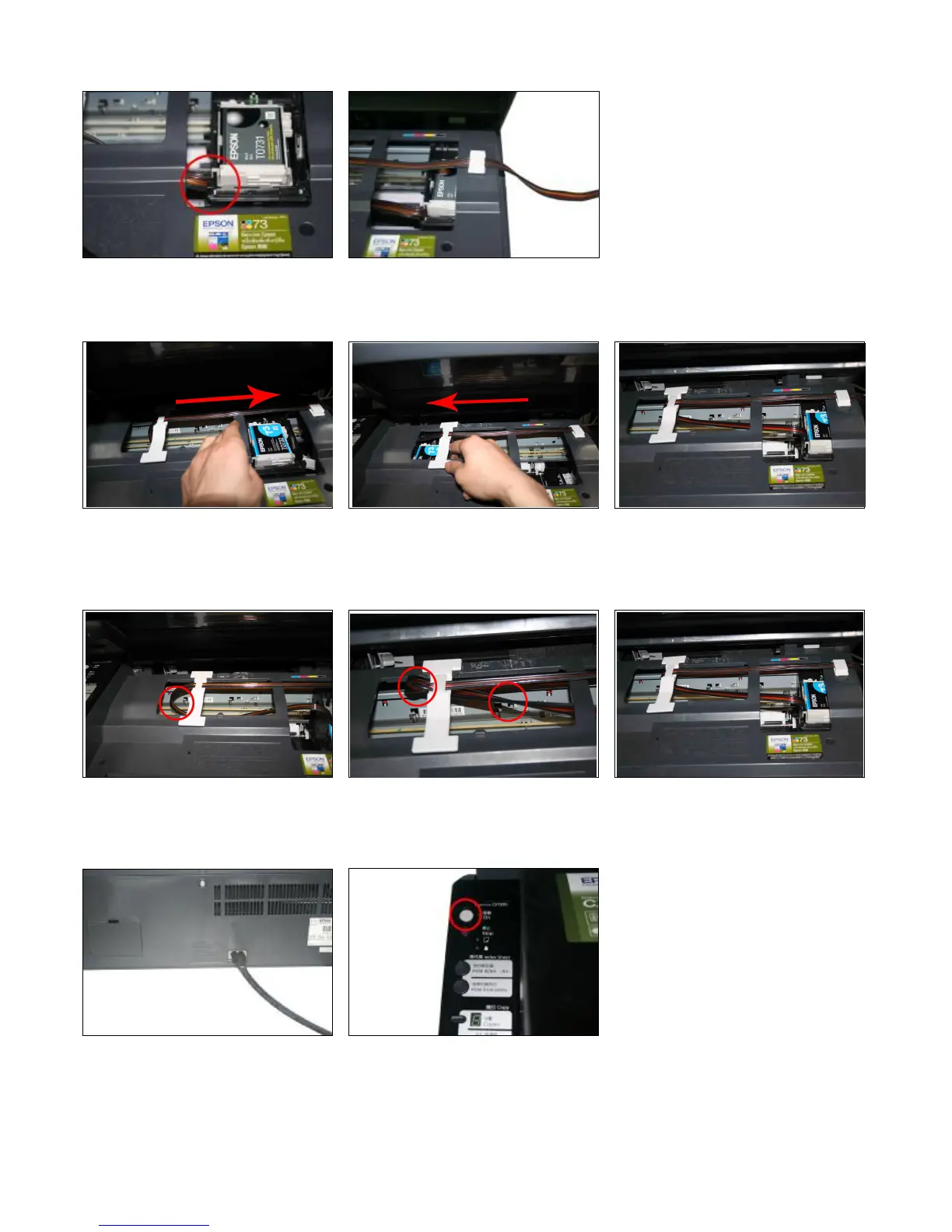
Tube went through the flute Clip the tube on the tubing holder by claspers.
Step 7: Adjust Tube Line
Adjust the tube length and move the Stimulate the move of the cartridge car. Adjustment is finished.
cartridge car. Insure there's plenty length Insure there will no block when the
of tube to make the cartridge cart can tubes moving with cartridge car and
thoroughly move to the left side. abnormal phenomena for the printer.
Too long Twist Perfect
Step 8:
Connect the power cord. Turn on the power and check whether the
printer can work well.


 To Next Page