Step 9: Check the nozzle
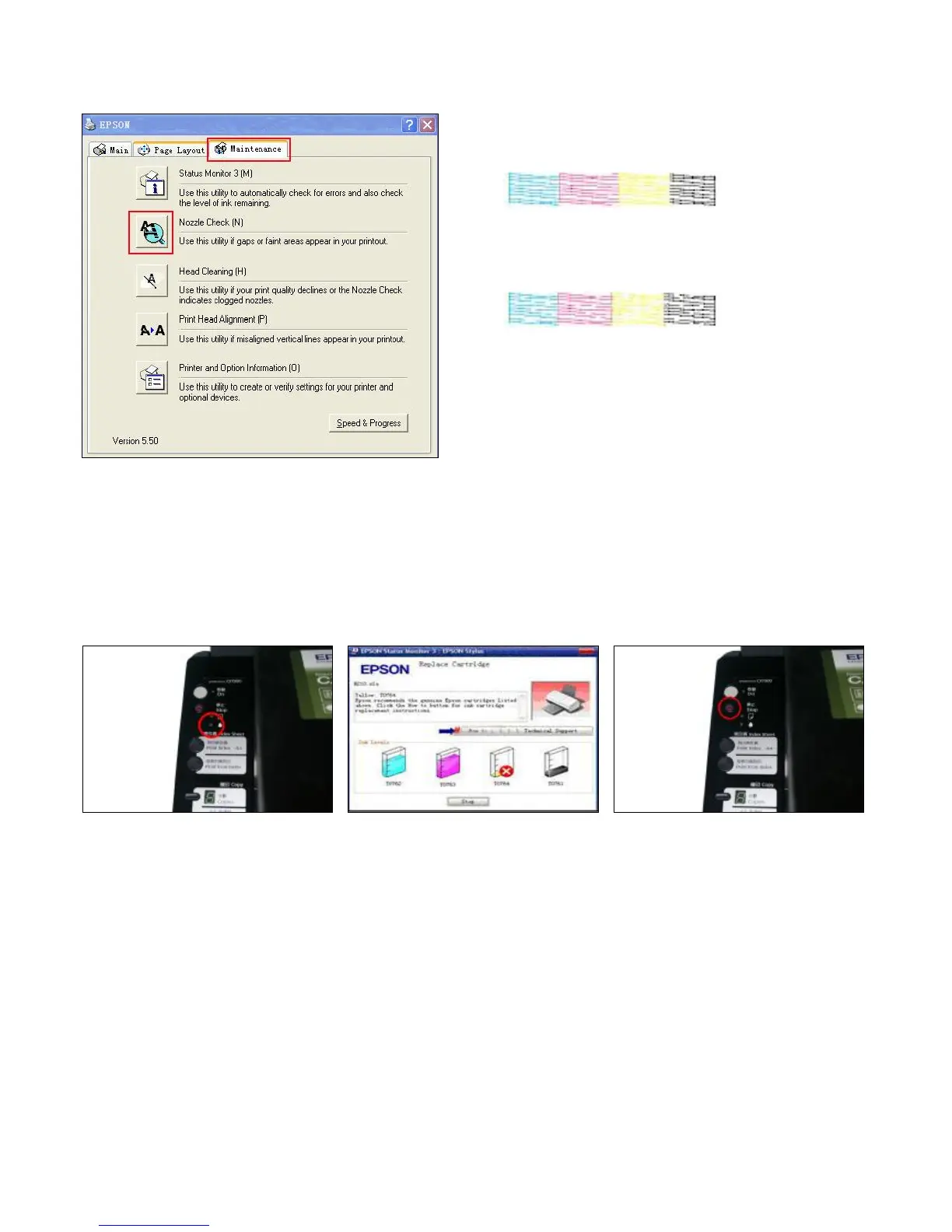
Nozzle is ok
Print test lines. If it is OK, then you can begin using.
Broken Lines
If there is broken lines, then pls clean the printer head.
Enter Checking Nozzle Panel
Broken lines may be caused by air entering the nozzles. If there is still some broken lines after cleaning printer head repeatedly,
especially for single color, then you can leave the printer for about 1 hour. Then the broken lines may disappear. If there is still such
problem, then pls contact local dealer.
4. Chip Reset
If ink-lacking light of the printer is flashing, it is aimed to remand you to change the cartridges. Press ink-changing button two times
until the carriage stops at the
ink-changing place.


 To Next Page