Introduction
7
Figures of Installation Dimensions
100mm
100mm
350mm
Caution
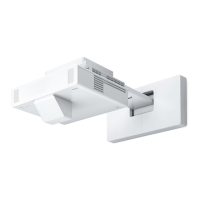
When installing the projector, make sure there is a gap between the wall and the projector's air exhaust
and intake vents. (See figure
and above)
c
Leaving a gap of approximately 100 mm from the ceiling to the top of the wall plate makes it easier
to install and remove the projector. (See figure
above)
When projecting a long, horizontal image by placing multiple projectors side-by-side, use the Edge
Blending function to make the edges of the images less noticeable. When projecting a screen with an aspect
ratio of 3:1, set the Blend Range for Edge Blending to 600.


 To Next Page