24
EMP-S1 User’s GuideBasic Operation > Adjusting the Display
Adjusting the projection angle
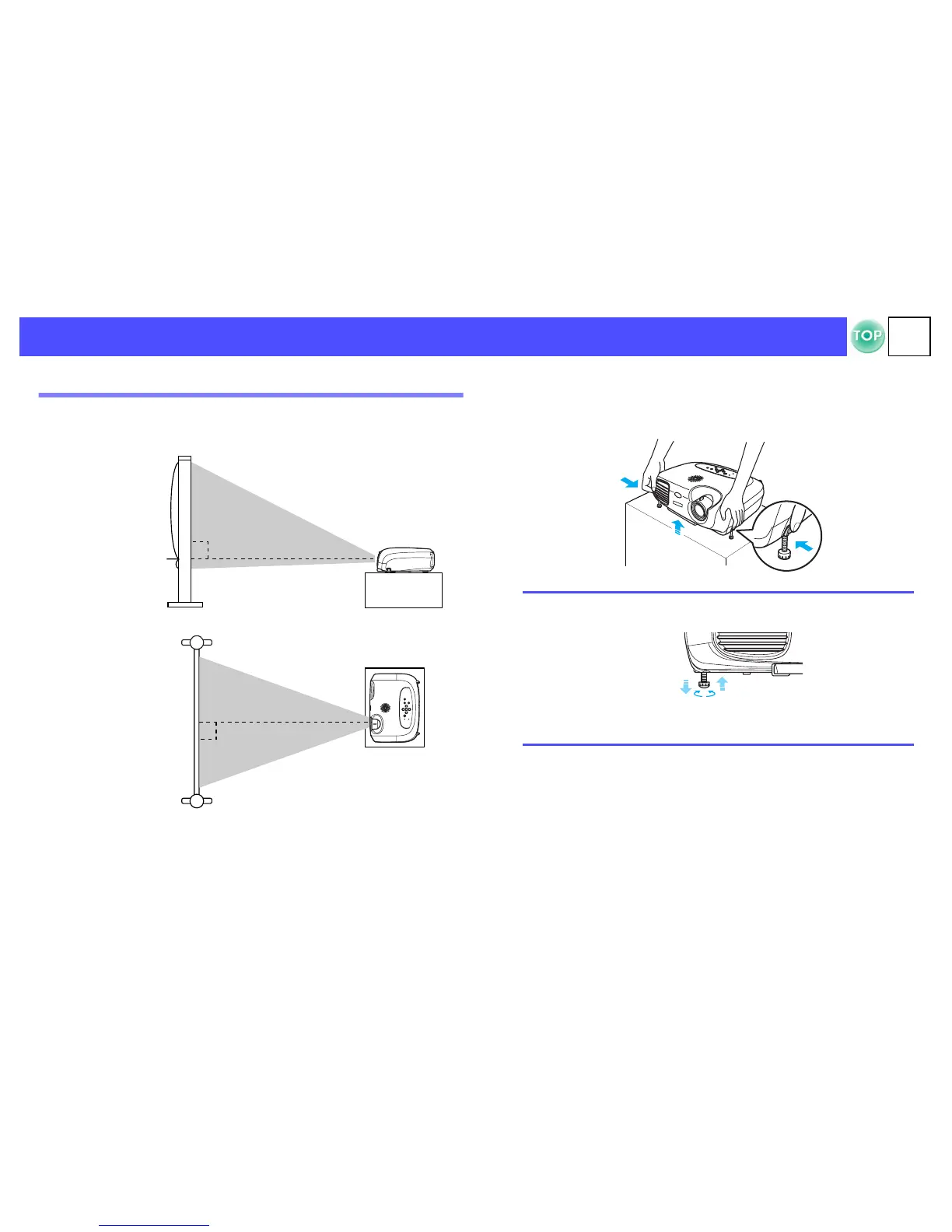
Set up the projector so that it is at right angles to a screen.
If it is not possible to set up the projector so that it is at right angles to a
screen, it can be set up at a slight vertical angle instead. (Max 10°)
A
Raise the front of the projector while pressing the feet
buttons on both sides.
Extend the front feet.
Seen from the side
Centre of lens
Seen from above
1
9.6
p
• The height can be adjusted by turning the base of the front
feet on either side.
• Press the front feet buttons on both sides and slowly lower
the projector down to return to its normal position.


 To Next Page