EasyManua.ls Logo

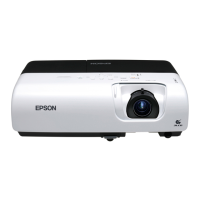
Epson EMP-S5 - User Manual

Epson EMP-S5
78 pages
Print Icon
To Next Page IconTo Next Page
Loading...
1
User's Guide

Table of Contents

Other manuals for Epson EMP-S5

Questions and Answers

  • M
    michael82Sep 23, 2025
    Why am I not receiving mail notifications when a problem occurs with my Epson EMP-S5?
    • S
      Stephen BlairSep 23, 2025
      If you're not receiving mail notifications for your Epson Projector, consider the following: * Ensure 'Standby Mode' is set to 'Network On' in the configuration menu. * Mail cannot be sent if the projector experiences a sudden, fatal stop. * Check that your electrical outlet or power source is functioning correctly. * Verify the LAN cable is correctly connected. * Confirm that 'Mail' is correctly configured in the configuration menu.
  • G
    Gerald RileyAug 25, 2025
    Why is there no audio from my Epson EMP-S5, or the audio is too low?
    • R
      rhallAug 25, 2025
      If you're experiencing low or no audio from your Epson Projector, consider the following: * Verify the audio source is correctly connected to the Audio port. * Adjust the volume to a suitable level. * Ensure A/V Mute is not active by pressing the [A/V Mute] button on the remote control. * Use an audio cable labelled 'No resistance'.
  • K
    Kendra JosephAug 25, 2025
    How to fix the Epson Projector remote control when it's not working?
    • R
      renee54Aug 26, 2025
      If your Epson Projector's remote control isn't working, try these steps: * Point the remote control directly at the remote receiver on the projector. * Ensure you are within the remote control's operating range (about 6 m). * Make sure direct sunlight or strong light isn't shining on the remote receiver. * Check the 'Remote Receiver' setting in the configuration menu. * Verify the batteries are correctly inserted and replace them if necessary. * If a remote button has been pressed for more than 30 seconds, release it to resume normal operation.
  • K
    Kathy ElliottAug 27, 2025
    Why won't my Epson EMP-S5 power on?
    • A
      Ann MorrisAug 27, 2025
      If your Epson Projector won't power on, try these steps: * Press the [Power] button to turn the power on. * Ensure the power cable is correctly connected and that the outlet is functioning. * Reinsert the power cable; if it still doesn't work, disconnect the projector and contact your local dealer. * If the operation lock is set to 'Full Lock', press and hold the [Enter] button on the control panel for about seven seconds to release the lock. * Check the 'Remote Receiver' setting in the configuration menu. * Press the [Power] button to turn the power back on.
  • J
    johngrahamAug 27, 2025
    Why does my Epson EMP-S5 show a High Temp Warning?
    • R
      Richard HigginsAug 27, 2025
      If your Epson Projector is showing a High Temp Warning, check that the air filter and air exhaust vent are not blocked, and make sure the projector isn't placed directly against a wall. If the air filter is clogged, clean or replace it.
  • K
    Kevin GlennSep 13, 2025
    How to fix an internal error on Epson EMP-S5 Projector?
    • V
      Victor RamirezSep 13, 2025
      If your Epson Projector displays an Internal Error, disconnect the AC cable, then reconnect it, and turn the power on. If the same error occurs, replace the Optical Engine and MAB set because the MA board is broken.
  • C
    Cassie BennettSep 12, 2025
    What does internal error ROM mean on Epson EMP-S5 Projector?
    • S
      Shawn WrightSep 12, 2025
      If your Epson Projector displays 'Internal error ROM (RO)', and it is caused by an abnormality of the MAB, replace the Optical Engine and MAB set.
  • M
    Michael WatsonSep 12, 2025
    What does internal error RAM mean on Epson Projector?
    • H
      Hannah ClarkSep 12, 2025
      If your Epson Projector displays 'Internal error RAM (RA)', and it is caused by an abnormality of the RAM, replace the Optical Engine and MAB set.
  • S
    Shelby SchultzSep 4, 2025
    What causes a lighting failure on my Epson EMP-S5?
    • M
      Madison WallaceSep 4, 2025
      If your Epson Projector is experiencing a Lighting Failure (LF), start by replacing the AS Lamp Unit if the V-LA value is abnormally high or if the lamp has failed. If the Ballast’s drive waveform is unstable, replace the PS Ballast Assy. Also, if the filter is clogged due to overheating, replace the Air Filter Assy.
  • P
    Pamela ColemanSep 2, 2025
    Why is nothing appearing on the external monitor connected to my Epson EMP-S5?
    • R
      Ronnie HicksSep 2, 2025
      Only computer images from the Computer1 or Computer Input port can be displayed on an external monitor connected to your Epson Projector. Ensure you are projecting images from one of these ports.

Summary

Notations Used in This Guide

Safety Indications

Explains warning and caution symbols for user safety.

General Information Indications

Explains symbols for additional information and procedures.

Projector Features

Ease of Use

Highlights features like A/V mute slide and single foot design for user convenience.

Enhanced Security Functions

Describes password protection, operation lock, and anti-theft devices.

Easy to Handle

Covers direct power on/off and no cool down delay for user convenience.

Part Names and Functions

Front and Top Components

Identifies and describes projector components on the front and top.

Rear Panel Views

Details rear connectors and ports for different projector models.

Control Panel Overview

Describes the buttons and indicators on the projector's control panel.

Remote Control Functions

Details the buttons and functions of the remote control.

Base Components

Describes the projector's base components and mounting points.

Useful Functions

Changing the Projected Image (Source Search)

Explains how to switch between different input sources.

Functions for Enhancing Projection

Covers image quality settings and presentation-specific features.

Security Functions

Details password protection, operation lock, and anti-theft features.

Configuration Menu

Using the Configuration Menu

Explains how to navigate the projector's menu system.

Image Menu Settings

Lists settings for image adjustment for specific projector models.

Signal Menu Settings

Lists settings for signal input and adjustment for different models.

Settings Menu Options

Lists general settings like Keystone, Zoom, and Operation Lock.

Extended Menu Settings

Lists advanced display and operation settings.

Network Menu Settings

Details network configuration options for specific models.

Info Menu (Display Only)

Describes how to display projector status information.

Reset Menu Options

Explains how to reset settings to their default values.

Troubleshooting

Using the Help System

Explains how to use the projector's built-in help system for problem resolution.

General Problem Solving

Provides guidance for resolving issues based on indicator lights and general symptoms.

Image Related Problems

Covers issues like no images, display errors, distortion, and color problems.

System and Operation Problems

Addresses power, audio, remote control, and mail notification issues.

Appendices

Installation Methods

Covers different projection methods and installation guidelines.

Cleaning and Maintenance

Provides instructions for cleaning projector parts and replacing consumables.

Connecting to External Equipment

Describes how to connect to external monitors and speakers.

Technical Specifications and Appearance

Lists technical details, dimensions, and diagrams of the projector.

Epson EMP-S5 Specifications

General IconGeneral
Brightness2000 lumens
Contrast Ratio400:1
Display Technology3LCD
Lamp Type170W UHE
Resolution800 x 600
Projection Size30 to 300 inches
Input PortsS-Video, Composite
Output PortsD-sub 15 pin (VGA)
Noise Level35 dB (Normal), 28 dB (Eco)
Lamp Life3000 hours (Normal mode), 4000 hours (Eco mode)

Related product manuals