EasyManua.ls Logo

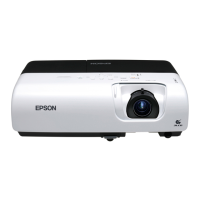
Epson EMP-S5 - User Manual

Epson EMP-S5
78 pages
Print Icon
To Next Page IconTo Next Page
Loading...
1
User's Guide

Table of Contents

Other manuals for Epson EMP-S5

Questions and Answers

  • S
    Stephanie HernandezSep 10, 2025
    What does Fan Error Sensor Error mean on Epson Projector?
    • L
      lauren27Sep 10, 2025
      If your Epson Projector displays 'Fan Error Sensor Error', check the connections between the fans/sensors and the MA board. If the error continues after checking the connections, replace the Optical Engine and MAB set because the MA board is broken.
  • R
    Richard WalshSep 9, 2025
    Why does my Epson Projector say the lamp cover is open?
    • T
      Timothy BrewerSep 9, 2025
      If your Epson Projector displays 'Lamp cover open (LC)', it could be due to several reasons: an abnormality of the Lamp Lid Detection Switch, an inappropriate cable connection, or an abnormality of the Lamp Lid itself. Replace the Lamp Cover if the Lamp Lid Detection Switch or the Lamp Lid is abnormal. Correct the connection if the cable connection is inappropriate.
  • L
    Larry StokesSep 8, 2025
    What to do if my Epson Projector has a thermistor error?
    • B
      batesshawnSep 8, 2025
      If your Epson Projector displays 'Thermistor error (SE)', ensure the connectors are properly connected. If not, correct the connection. If the cable is disconnected, replace the thermistor. Replace the sensor board if it has failed. If there is an abnormality of the circuit, replace the Optical Engine and MAB set.
  • D
    Dr. Danielle CraneAug 22, 2025
    What to do if my Epson EMP-S5 Projector displays 'No Signal'?
    • J
      John MooreAug 22, 2025
      If your Epson Projector displays a 'No Signal' message, try the following: * Ensure all cables required for projection are securely connected. * Change the image source by pressing the [Source Search] button on the remote control or the control panel. * Turn on the power for the connected equipment. * If image signals are only outputting to the computer's LCD monitor, change the output to an external destination as well as the computer's own monitor.
  • M
    melissasanchezSep 5, 2025
    How to fix a fan error on an Epson Projector?
    • D
      David EvansSep 5, 2025
      If your Epson Projector displays 'Fan error (FN)', it might be due to several causes. If a fin is broken, replace the fan. If the fan's revolutions are abnormal, or the cables/conduction are damaged, replace the fan. Also, correct the connection if the connectors are inappropriately connected. Clean the fan if dust has accumulated on it. In case of micro-computer abnormality, replace the Optical Engine and MAB set. Re-download the parameters if the thermal parameters are broken.
  • S
    Shelby SchultzSep 4, 2025
    What causes a lighting failure on my Epson EMP-S5?
    • M
      Madison WallaceSep 4, 2025
      If your Epson Projector is experiencing a Lighting Failure (LF), start by replacing the AS Lamp Unit if the V-LA value is abnormally high or if the lamp has failed. If the Ballast’s drive waveform is unstable, replace the PS Ballast Assy. Also, if the filter is clogged due to overheating, replace the Air Filter Assy.
  • M
    Melissa DouglasSep 3, 2025
    What to do if my Epson Projector shows a lamp problem or failure?
    • K
      Kristy JordanSep 3, 2025
      If your Epson Projector displays a 'Lamp problem', 'Lamp failure' or indicates that the 'Lamp cover is open', first ensure the Lamp Lid is securely fixed and the lamp itself is properly secured. Remove the lamp to inspect for any damage. If no cracks are visible, re-fit the lamp and power on the projector. If the error persists, replace the lamp. Also, if using the projector at an altitude of 1500 m or more, set "High Altitude Mode" to "On." Clean or replace the filter if it's clogged.
  • P
    Pamela ColemanSep 2, 2025
    Why is nothing appearing on the external monitor connected to my Epson EMP-S5?
    • R
      Ronnie HicksSep 2, 2025
      Only computer images from the Computer1 or Computer Input port can be displayed on an external monitor connected to your Epson Projector. Ensure you are projecting images from one of these ports.
  • C
    christianestradaSep 1, 2025
    Why do no images appear on my Epson EMP-S5?
    • A
      Alexis YoungSep 1, 2025
      If no images appear on your Epson Projector, try these solutions: * Press the [Power] button to turn the power on. * Ensure the projector's power cable is correctly connected and the outlet is working. * Press the [A/V Mute] button on the remote to cancel A/V Mute. * Open the A/V mute slide. * Reset all settings by navigating to 'Reset' - 'Reset All'. * Change the image signal format setting according to the signal for the connected equipment.
  • T
    Terry JonesAug 31, 2025
    Why does my Epson Projector projection stop automatically?
    • M
      Michelle BartlettAug 31, 2025
      If your Epson Projector stops projecting automatically, it might be due to the Sleep Mode being enabled. Press the [Power] button to turn the power back on. If you prefer, you can disable 'Sleep Mode' in the settings.

Summary

Notations Used in This Guide

Safety Indications

Explains warning and caution symbols for user safety.

General Information Indications

Explains symbols for additional information and procedures.

Projector Features

Ease of Use

Highlights features like A/V mute slide and single foot design for user convenience.

Enhanced Security Functions

Describes password protection, operation lock, and anti-theft devices.

Easy to Handle

Covers direct power on/off and no cool down delay for user convenience.

Part Names and Functions

Front and Top Components

Identifies and describes projector components on the front and top.

Rear Panel Views

Details rear connectors and ports for different projector models.

Control Panel Overview

Describes the buttons and indicators on the projector's control panel.

Remote Control Functions

Details the buttons and functions of the remote control.

Base Components

Describes the projector's base components and mounting points.

Useful Functions

Changing the Projected Image (Source Search)

Explains how to switch between different input sources.

Functions for Enhancing Projection

Covers image quality settings and presentation-specific features.

Security Functions

Details password protection, operation lock, and anti-theft features.

Configuration Menu

Using the Configuration Menu

Explains how to navigate the projector's menu system.

Image Menu Settings

Lists settings for image adjustment for specific projector models.

Signal Menu Settings

Lists settings for signal input and adjustment for different models.

Settings Menu Options

Lists general settings like Keystone, Zoom, and Operation Lock.

Extended Menu Settings

Lists advanced display and operation settings.

Network Menu Settings

Details network configuration options for specific models.

Info Menu (Display Only)

Describes how to display projector status information.

Reset Menu Options

Explains how to reset settings to their default values.

Troubleshooting

Using the Help System

Explains how to use the projector's built-in help system for problem resolution.

General Problem Solving

Provides guidance for resolving issues based on indicator lights and general symptoms.

Image Related Problems

Covers issues like no images, display errors, distortion, and color problems.

System and Operation Problems

Addresses power, audio, remote control, and mail notification issues.

Appendices

Installation Methods

Covers different projection methods and installation guidelines.

Cleaning and Maintenance

Provides instructions for cleaning projector parts and replacing consumables.

Connecting to External Equipment

Describes how to connect to external monitors and speakers.

Technical Specifications and Appearance

Lists technical details, dimensions, and diagrams of the projector.

Epson EMP-S5 Specifications

General IconGeneral
Brightness2000 lumens
Contrast Ratio400:1
Display Technology3LCD
Lamp Type170W UHE
Resolution800 x 600
Projection Size30 to 300 inches
Input PortsS-Video, Composite
Output PortsD-sub 15 pin (VGA)
Noise Level35 dB (Normal), 28 dB (Eco)
Lamp Life3000 hours (Normal mode), 4000 hours (Eco mode)

Related product manuals