3. If you see a message on the LCD screen telling you to reset the ink levels, note the ink tanks that
need refilling and press the OK button. Otherwise, select Setup > Maintenance > Reset Ink Levels
and press the Start Color button.
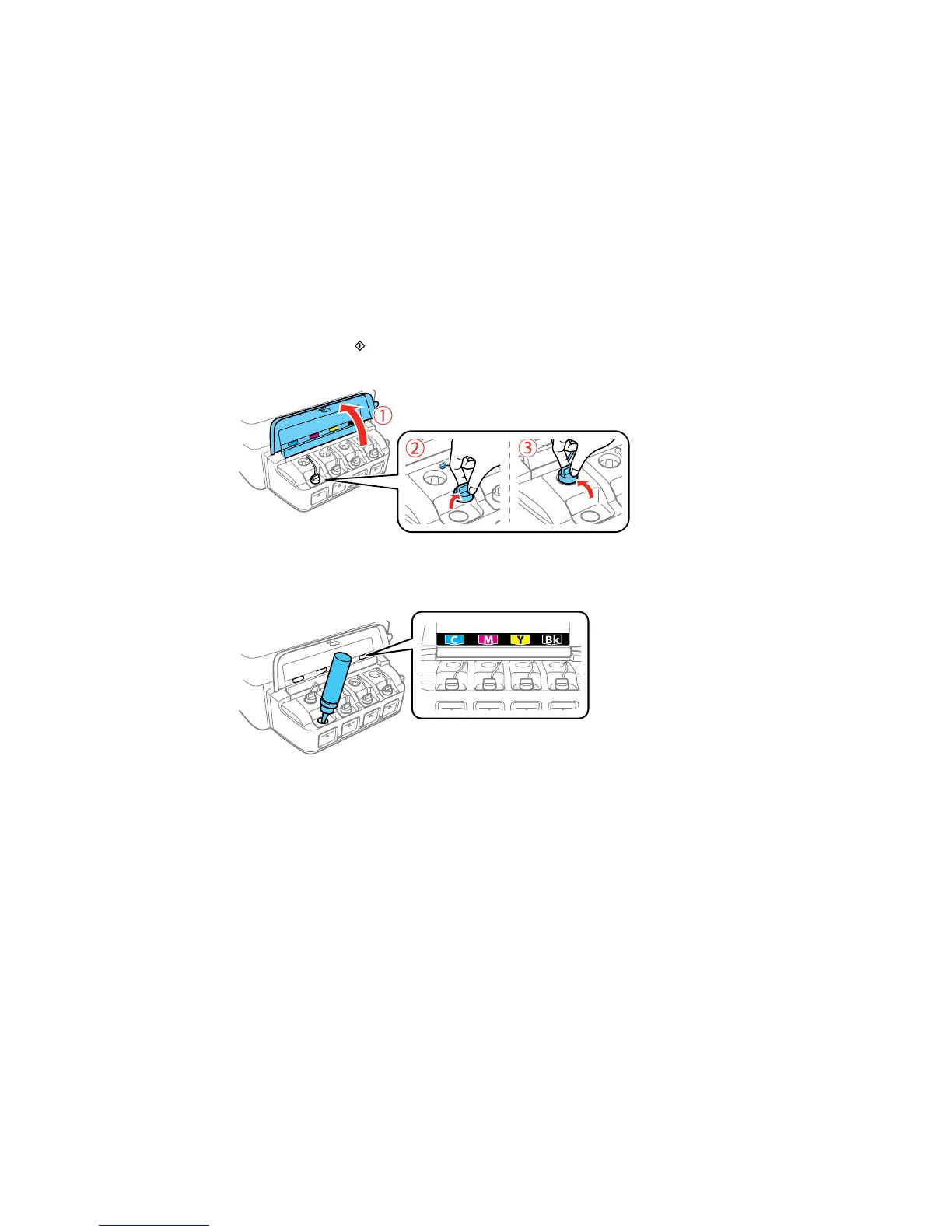
4. Open the ink tank unit cover, then remove the ink tank cap and place it in the holder shown here.
Note: Make sure the color of the ink tank label matches the ink color you want to refill, and only
remove the cap from that ink tank. Be careful not to spill any ink.
191



 To Next Page