• To invert or flip the printed image, select the Reverse page orientation or Flip horizontally settings.
Parent topic: Printing with OS X
Sizing Printed Images - OS X
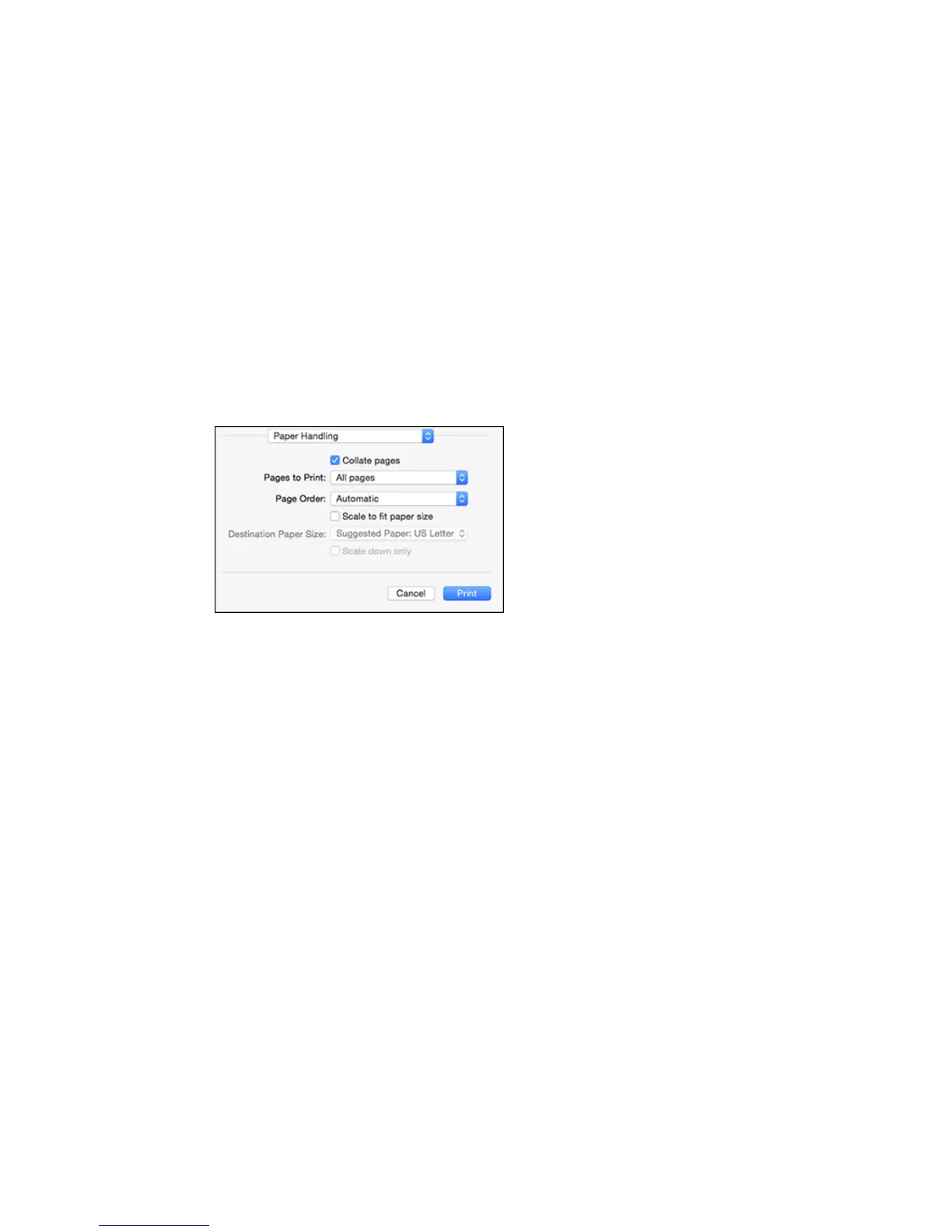
You can adjust print order and the size of the image as you print it by selecting Paper Handling from the
pop-up menu on the Print window.
• To print only selected pages in a multi-page document, select an option from the Pages to Print pop-
up menu.
• To adjust the order in which pages are printed, select an option from the Page Order pop-up menu.
• To scale the image to fit on a specific paper size, select the Scale to fit paper size checkbox and
select a paper size from the Destination Paper Size pop-up menu.
Parent topic: Printing with OS X
Managing Color - OS X
You can adjust the Color Matching and Color Options settings to fine-tune the colors in your printout, or
turn off color management in your printer software.
87


 To Next Page