4.
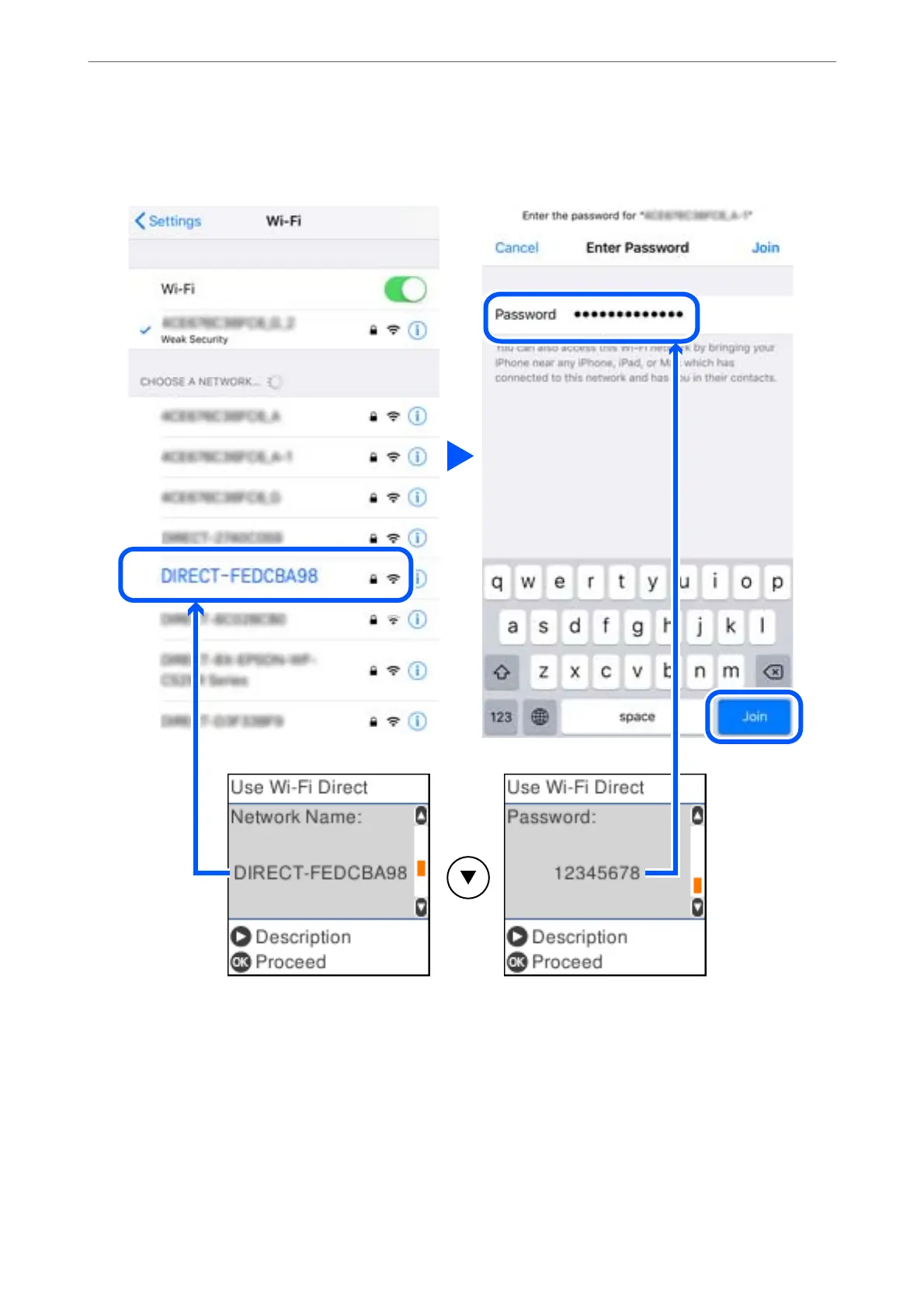
On the smart device's Wi-Fi screen, select the Network Name shown on the printer's control panel, and then
enter the password.
e screenshot is an example on iPhone.
5.
On the printer's control panel, press the OK button.
Network Settings
>
Connecting to a Smart Device
>
Connecting to Devices other than iOS and Android using Wi-
…
29



 To Next Page
 Loading...









