1.
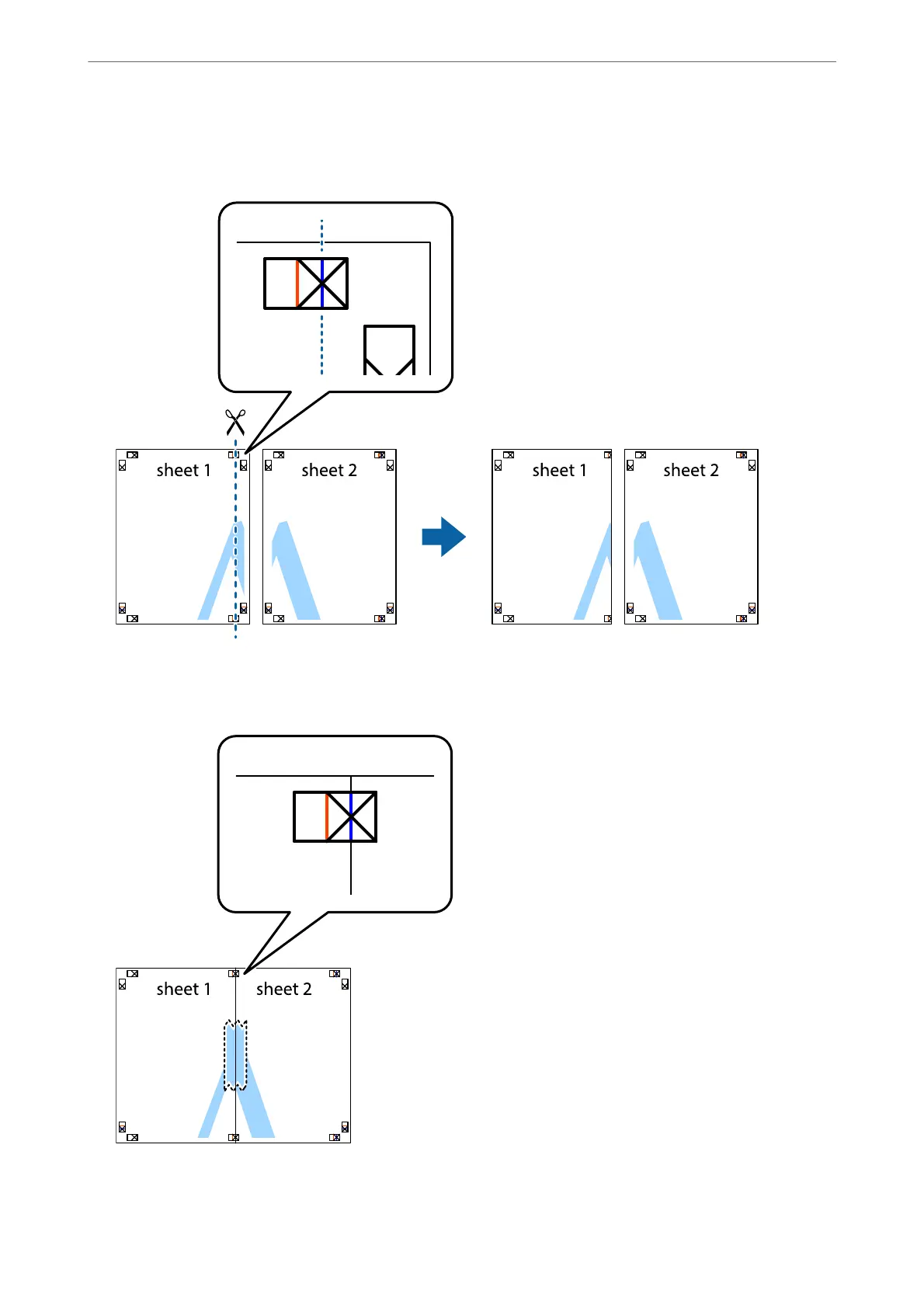
Prepare Sheet 1 and Sheet 2. Cut
o
the margins of Sheet 1 along the vertical blue line through the center of
the top and bottom cross marks.
2.
Place the edge of Sheet 1 on top of Sheet 2 and align the cross marks, then temporarily tape the two sheets
together from the back.
Printing
>
Printing from a Computer
>
Printing One Image on Multiple Sheets to Create a Poster (for Windows Only)
68



 To Next Page
 Loading...









