Note:
For Windows 10/Windows 8.1/Windows 8, the WSD port is set up automatically.
e
following is necessary to set up a WSD port.
❏ e printer and the computer are connected to the network.
❏ e printer driver is installed on the computer.
1. Turn the printer on.
2.
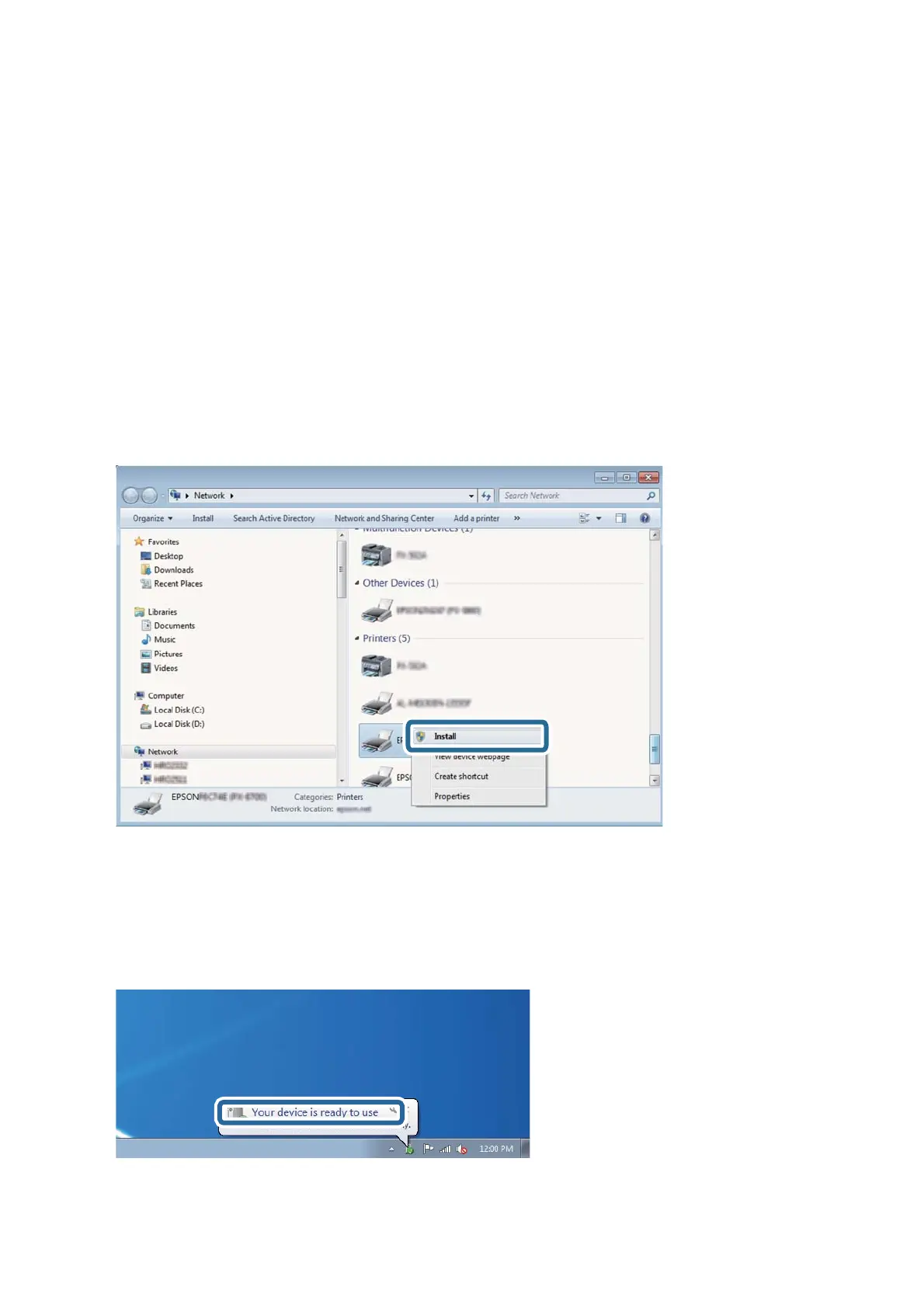
Click start, and then click Network on the computer.
3. Right-click the printer, and then click Install.
Click Continue when the User Account Control screen is displayed.
Click Uninstall and start again if the Uninstall screen is displayed.
Note:
e printer name you set on the network and model name (EPSON XXXXXX (XX-XXXX)) are displayed on the
network screen. You can check the printer's name set on the network from the printer's control panel or by printing a
network status sheet.
4. Click Your device is ready to use.
User's Guide
Scanning
131













 To Next Page