EasyManua.ls Logo

Epson LQ-680 - User Manual

Epson LQ-680
181 pages
Print Icon
To Next Page IconTo Next Page
Loading...
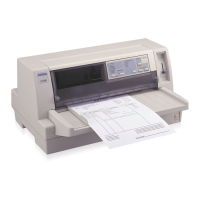
24-Pin Dot
Matrix Printer
User's Guide
User's Guide
User's Guide
Printed in Japan
00.XX-XX
24-Pin Dot
Matrix Printer
4013016-01
C01

Table of Contents

Other manuals for Epson LQ-680

Question and Answer IconNeed help?

Do you have a question about the Epson LQ-680 and is the answer not in the manual?

Summary

Control Panel Buttons and Lights

Getting to Know Your Printer

Important Safety Instructions

Read and save all safety instructions for later reference.

Chapter 1 Setting Up the Printer

Installing the Printer Software

Steps for installing printer drivers and utilities.

Chapter 2 Paper Handling

Chapter 3 Using the Printer Software

Using the Printer Driver With Windows 98 or 95

Guide to accessing and using the printer driver in Windows 98/95.

Using the EPSON Remote! Utility

How to use the EPSON Remote! utility for printer setup.

Using the EPSON Status Monitor 3 Utility

How to use the EPSON Status Monitor 3 utility.

Chapter 4 Changing Printer Settings From the Printer’s Control Panel

Chapter 5 Troubleshooting

Using the Error Indicators

How to diagnose problems using control panel lights and beep patterns.

Problems and Solutions

A guide to identifying and resolving common printer issues.

Clearing Paper Jams

Step-by-step instructions for removing paper jams.

Appendix B Cleaning and Transporting the Printer

Appendix D Customer Support Information

Contacting Customer Support

How to contact EPSON customer support for assistance.

Summary

Control Panel Buttons and Lights

Getting to Know Your Printer

Important Safety Instructions

Read and save all safety instructions for later reference.

Chapter 1 Setting Up the Printer

Installing the Printer Software

Steps for installing printer drivers and utilities.

Chapter 2 Paper Handling

Chapter 3 Using the Printer Software

Using the Printer Driver With Windows 98 or 95

Guide to accessing and using the printer driver in Windows 98/95.

Using the EPSON Remote! Utility

How to use the EPSON Remote! utility for printer setup.

Using the EPSON Status Monitor 3 Utility

How to use the EPSON Status Monitor 3 utility.

Chapter 4 Changing Printer Settings From the Printer’s Control Panel

Chapter 5 Troubleshooting

Using the Error Indicators

How to diagnose problems using control panel lights and beep patterns.

Problems and Solutions

A guide to identifying and resolving common printer issues.

Clearing Paper Jams

Step-by-step instructions for removing paper jams.

Appendix B Cleaning and Transporting the Printer

Appendix D Customer Support Information

Contacting Customer Support

How to contact EPSON customer support for assistance.

Epson LQ-680 Specifications

General IconGeneral
Print MethodImpact dot matrix
Number of Pins24 pins
Print Resolution360 x 360 dpi
Print DirectionBidirectional with logic seeking
Noise Level55 dB(A)
EmulationESC/P2, IBM PPDS
InterfaceParallel, USB

Related product manuals