EasyManua.ls Logo

Epson PowerLite 1750 - User Manual

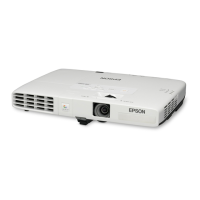
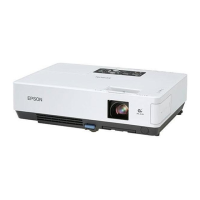
Epson PowerLite 1750
193 pages
Print Icon
To Next Page IconTo Next Page
Loading...
PowerLite
®
1750/1760W/1770W/1775W
Projector User's Guide

Table of Contents

Other manuals for Epson PowerLite 1750

Questions and Answers

  • T
    Tiffany WintersAug 10, 2025
    Why am I getting an error message when starting up Epson EasyMP Slide Converter?
    • M
      Michael LeeAug 10, 2025
      If you receive an error message when starting the Epson EasyMP Slide Converter, it could be due to several reasons. First, your operating system might not be compatible, so you should update it to the required version or install the software under a supported OS. Second, PowerPoint 2002 or a later version might not be installed; reinstall EasyMP Slide Converter after installing PowerPoint. Also, close PowerPoint before converting the file, as running PowerPoint can interfere with the conversion process. Finally, ensure you have write access to the specified folder and sufficient space on the drive to save the file or transfer the scenario. Delete unnecessary files to free up space if needed.
  • C
    Chris PopeAug 18, 2025
    What to do if I cannot play scenarios in Epson Software?
    • K
      Kim BeckerAug 18, 2025
      If you cannot play scenarios, it may be because the projector's resolution is XGA, while the scenario is set for WXGA (1280 x 800 dots). To resolve this, convert the PowerPoint file to an XGA (1024 x 768 dots) scenario file before projecting.
  • M
    Ms. Kelly Roth PhDAug 26, 2025
    How to fix 'Convert to FSE' not displayed in the PowerPoint right click menu for Epson Software?
    • J
      julieholtAug 26, 2025
      If 'Convert to FSE' is not displayed in the PowerPoint right-click menu after installing Epson EasyMP Slide Converter, it may be because PowerPoint was installed after the EasyMP Slide Converter. To fix this, reinstall EasyMP Slide Converter.
  • M
    Matthew WhiteSep 2, 2025
    What to do if I cannot convert to a scenario in Epson Software?
    • S
      Steven LopezSep 2, 2025
      If you cannot convert to a scenario using Epson Software, ensure that PowerPoint is closed before starting the conversion. Additionally, check that the Slide View setting is set to 'All,' as conversion is not possible when Slides or Custom Show is selected.

Summary

Introduction to Your Projector

Setting Up the Projector

Projector Connections

Explains how to connect various video and computer sources to the projector.

Using Basic Projector Features

Turning On the Projector

Step-by-step instructions for powering on the projector.

Turning Off the Projector

Step-by-step instructions for powering off the projector.

Selecting an Image Source

How to switch between different connected input sources.

Adjusting Projector Features

Projector Security Features

Setting up security measures to prevent unauthorized use.

Password Security Types

Explains different password protection options for the projector.

Adjusting the Menu Settings

Maintaining and Transporting the Projector

Projector Lamp Maintenance

Information regarding lamp life, replacement indicators, and procedures.

Replacing the Lamp

Detailed instructions for safely replacing the projector lamp.

Solving Problems

Solving Image or Sound Problems

Troubleshooting issues related to projected images and audio output.

Solutions When No Image Appears

Steps to resolve issues where no image is projected.

Solving Projector or Remote Control Operation Problems

Troubleshooting operational issues with the projector or remote control.

Solutions to Projector Power or Shut-Off Problems

Diagnosing issues related to projector power and unexpected shutdowns.

Solutions to Problems With the Remote Control

Troubleshooting issues affecting the functionality of the remote control.

Notices

Important Safety Information

Critical safety warnings regarding projector operation and handling.

Important Safety Instructions

Detailed safety guidelines for setting up and using the projector.

Epson PowerLite 1750 Specifications

General IconGeneral
Contrast Ratio2000:1
Projection Technology3LCD
ResolutionWXGA (1280 x 800)
Lamp Life4000 hours
Zoom Ratio1.2x

Related product manuals