U “Performing Printing (Mac)” on page 44
B
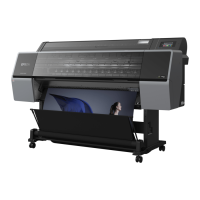
Click +, and then enter the paper size name.
C
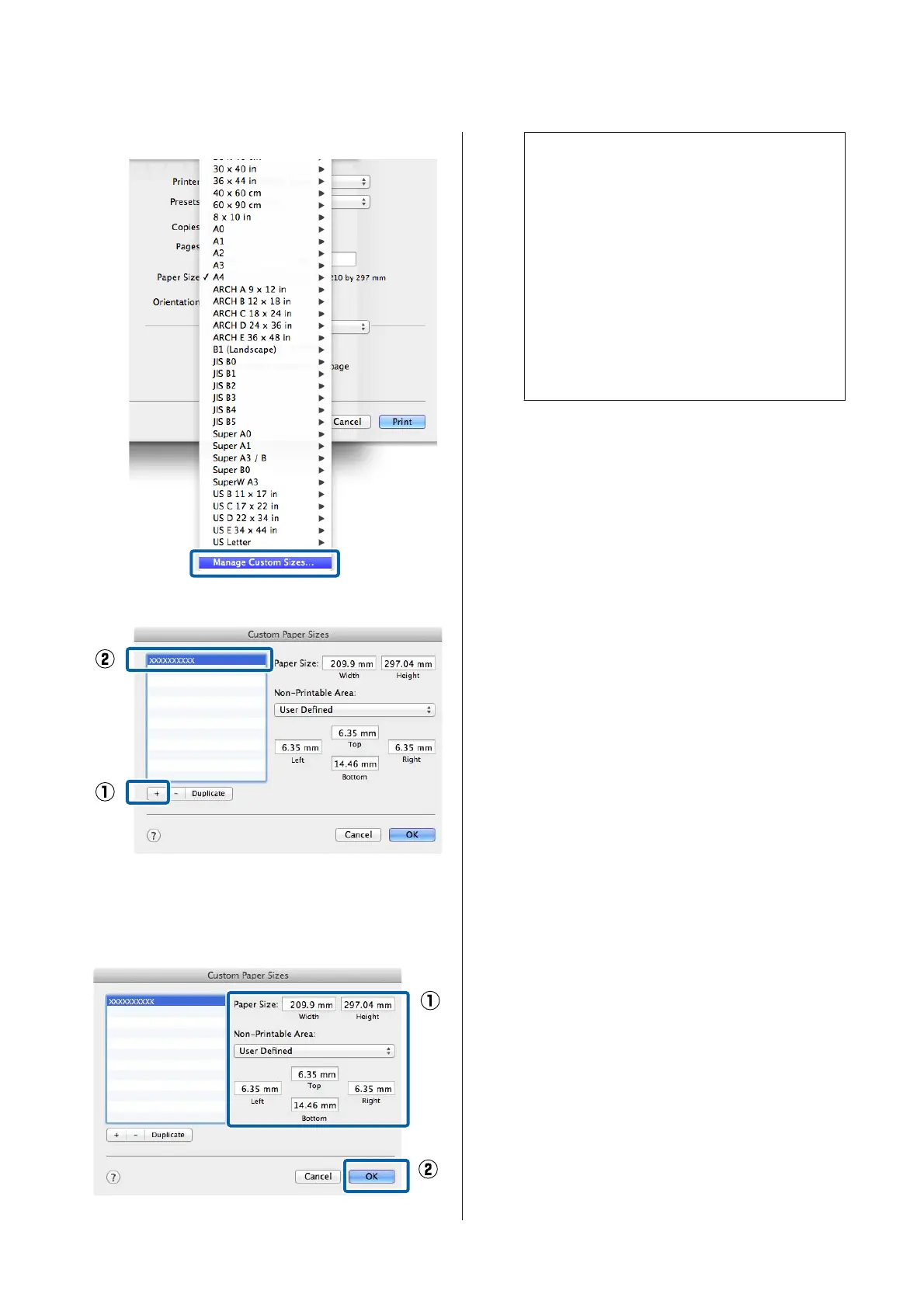
Enter the Width, Height for the Paper Size,
enter the margins, and then click OK.
You can set the page size and printer margins
depending on the printing method.
Note:
❏ To edit a saved custom size, choose its name
from the list on the left.
❏ To copy a saved custom size, select the size in
the list on the left and click Duplicate.
❏ To delete a saved custom size, select it in the list
on the left and click −.
❏ The custom paper size setting differs
depending on the operating system version.
See your operating system's documentation
for details.
D
Click OK.
You can select the paper size you saved from the
Paper Size pop-up menu.
You can now print as normal.
SC-P9500 Series/SC-P7500 Series User's Guide
Printing Varieties
88


 To Next Page
 Loading...