To Next Page
N
Nicholas McguireSep 9, 2025
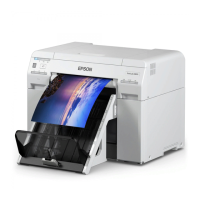
What to do if amount of data in print jobs sent to Epson Printer nearly at maximum limit?
- MMichael StokesSep 9, 2025
Stop sending the current print job and send the remaining pages as another print job.

What to do if amount of data in print jobs sent to Epson Printer nearly at maximum limit?
Stop sending the current print job and send the remaining pages as another print job.
How to clean clogged nozzles on Epson SL-D850?
Start [Maintenance tool], select [Printer maintenance] and perform [Diagnostic Cleaning].
How to remove paper jam from Epson Printer?
Open the rear cover and the top cover, remove any paper remaining, and then reload the paper.
What to do if Epson Printer paper feeding unit error?
Check that there is no paper inside the printer, and then reload the paper.
What to do if operations have stopped because an error has occurred in Epson SL-D850 Printer?
Check the code on the computer's screen to solve the problem.
What to do if Epson Printer paper is out?
If the paper is out, load paper.
What to do if Epson SL-D850 shows fatal error?
Restart the printer.
What to do if Epson SL-D850 Printer cannot perform [Detect Clogging] correctly?
Start [Maintenance tool], select [Printer maintenance] and perform [Diagnostic Cleaning].
What to do if the scrap paper box has come off Epson SL-D850 Printer?
Install the scrap paper box correctly.
What to do if Epson Printer maintenance cartridge usage exceeded the application limit?
Replace the maintenance cartridge(xxxx).
 General
| Technology | Dye-sublimation |
|---|---|
| Number of Inks | 6 |
| Ink Type | Dye-based ink |
| Media Sizes | 4 x 6", 5 x 7" |
| Roll Paper Width | 4", 5", 6", 8" |
| Connectivity | Ethernet |