To Next Page
T
Tracy DavisAug 21, 2025
How to fix paper jam in Epson Printer?
- CChad KellyAug 21, 2025
If a paper jam has occurred, remove any paper remaining from the roll paper feeder, and then reload the paper.

How to fix paper jam in Epson Printer?
If a paper jam has occurred, remove any paper remaining from the roll paper feeder, and then reload the paper.
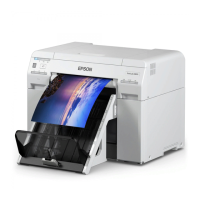
What to do if Epson SL-D850 Printer maintenance cartridge cannot be recognized?
Install the maintenance cartridge correctly.
How to load paper correctly in Epson SL-D850?
Check the positions of the edge guides, and then reload the paper.
What to do if there is no paper in Epson SL-D850?
Load the paper in the roll paper feeder.
What to do if Epson Printer paper is out?
If the paper is out, load paper.
What to do if operations have stopped because an error has occurred in Epson SL-D850 Printer?
Check the code on the computer's screen to solve the problem.
What to do if Epson Printer paper feeding unit error?
Check that there is no paper inside the printer, and then reload the paper.
How to remove paper jam from Epson Printer?
Open the rear cover and the top cover, remove any paper remaining, and then reload the paper.
How to clean clogged nozzles on Epson SL-D850?
Start [Maintenance tool], select [Printer maintenance] and perform [Diagnostic Cleaning].
 General
| Technology | Dye-sublimation |
|---|---|
| Number of Inks | 6 |
| Ink Type | Dye-based ink |
| Media Sizes | 4 x 6", 5 x 7" |
| Roll Paper Width | 4", 5", 6", 8" |
| Connectivity | Ethernet |