157
Note: Make sure the date and time are set correctly before using this feature.
1. Place your original on the product for scanning.
Note: To scan a double-sided or multi-page document, place your originals in the ADF.
2. Press the home button, if necessary.
3. Select Scan.
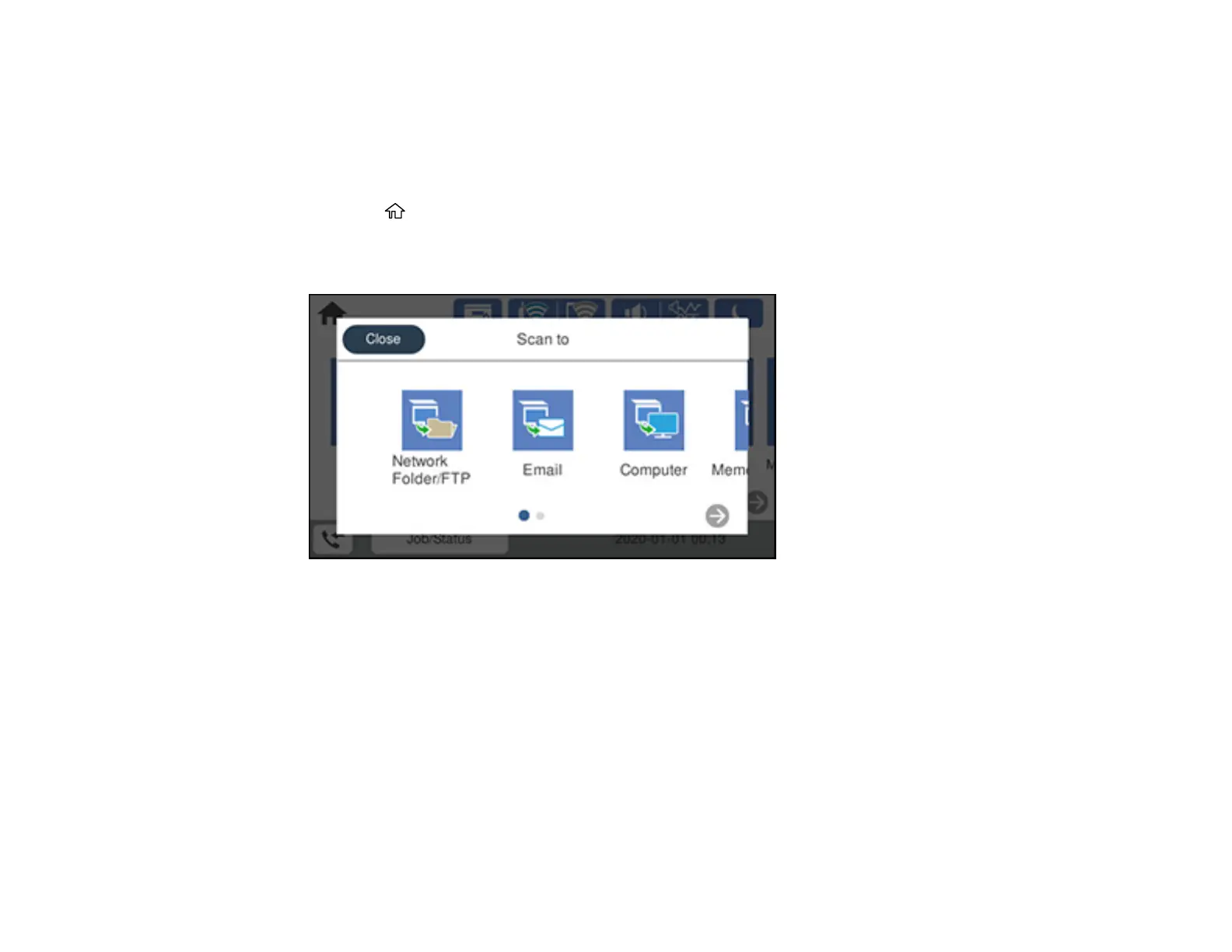
You see a screen like this:
4. Select Network Folder/FTP.


 To Next Page