28
C
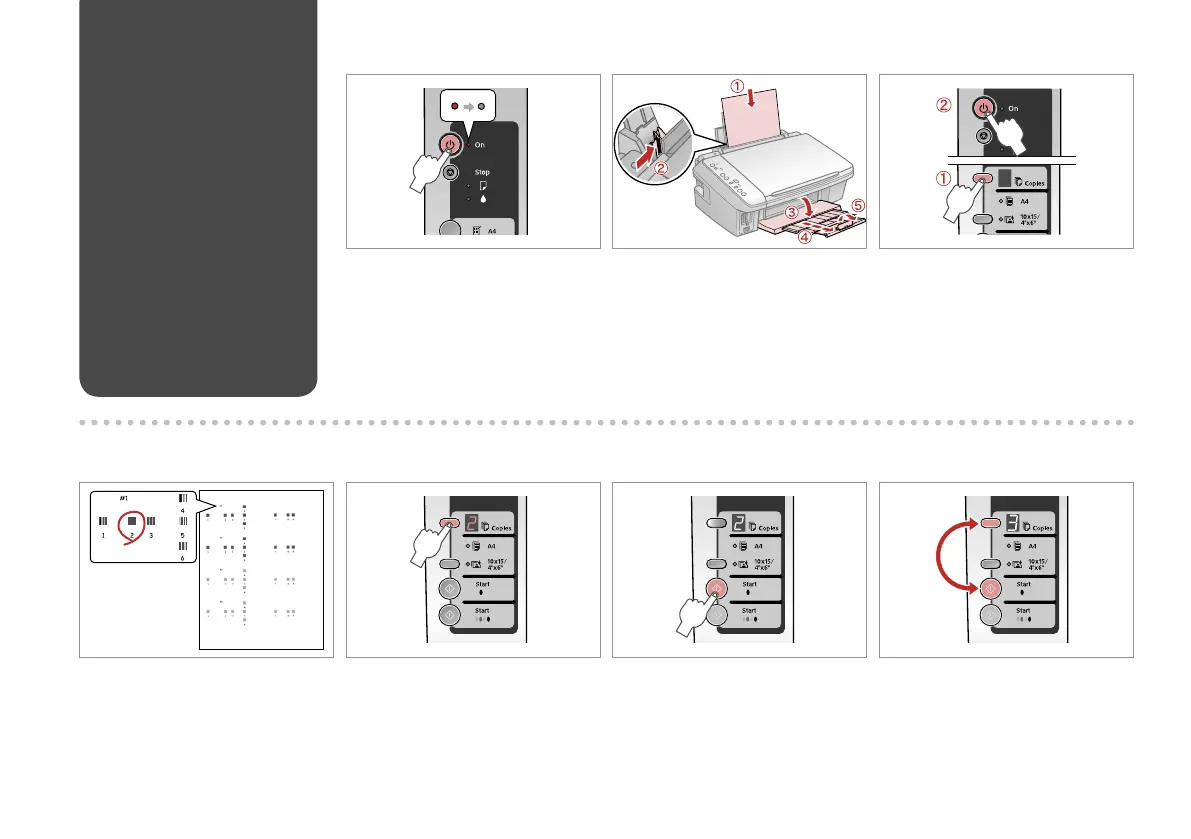
While pressing k, press P.
Sambil menekan k, tekan P.
Turn o.
Matikan.
A B R & 13
Load A4-size plain paper.
Muatkan kertas biasa berukuran A4.
F
Set.
Tetapkan.
Select the most solid pattern.
Pilih pola yang paling padat.
D E
Select the number for pattern #1.
Pilih angka untuk pola #1.
Aligning the Print
Head
Meratakan Print
Head
G
Repeat E and F for all patterns.
Ulangi E dan F untuk semua pola.



 To Next Page
 Loading...