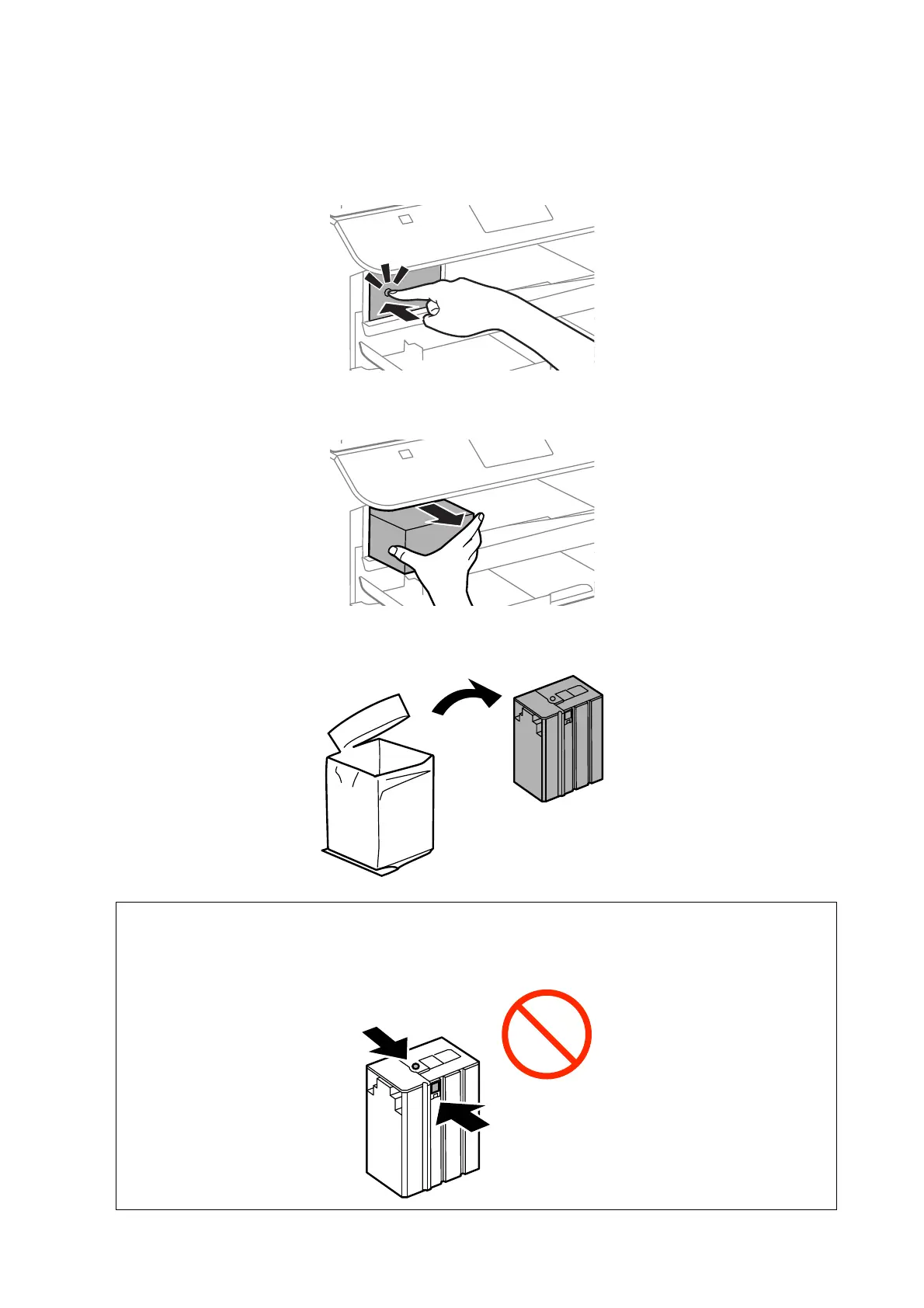
2. Push the ink cartridge that you want to replace.
e
ink cartridge will pop out slightly.
3. Remove the ink cartridge from the printer.
4. Remove the new ink cartridge from its package.
c
Important:
Do not touch the sections shown in the illustration. Doing so may prevent normal operation and printing.
User's Guide
Replacing Ink Cartridges and Other Consumables
59












 To Next Page