37
Note: If the Wi-Fi symbol is not displayed on the LCD screen, you may have selected the wrong
network name or entered the password incorrectly. Repeat these steps to try again.
Parent topic: Wi-Fi Infrastructure Mode Setup
Wi-Fi Direct Mode Setup
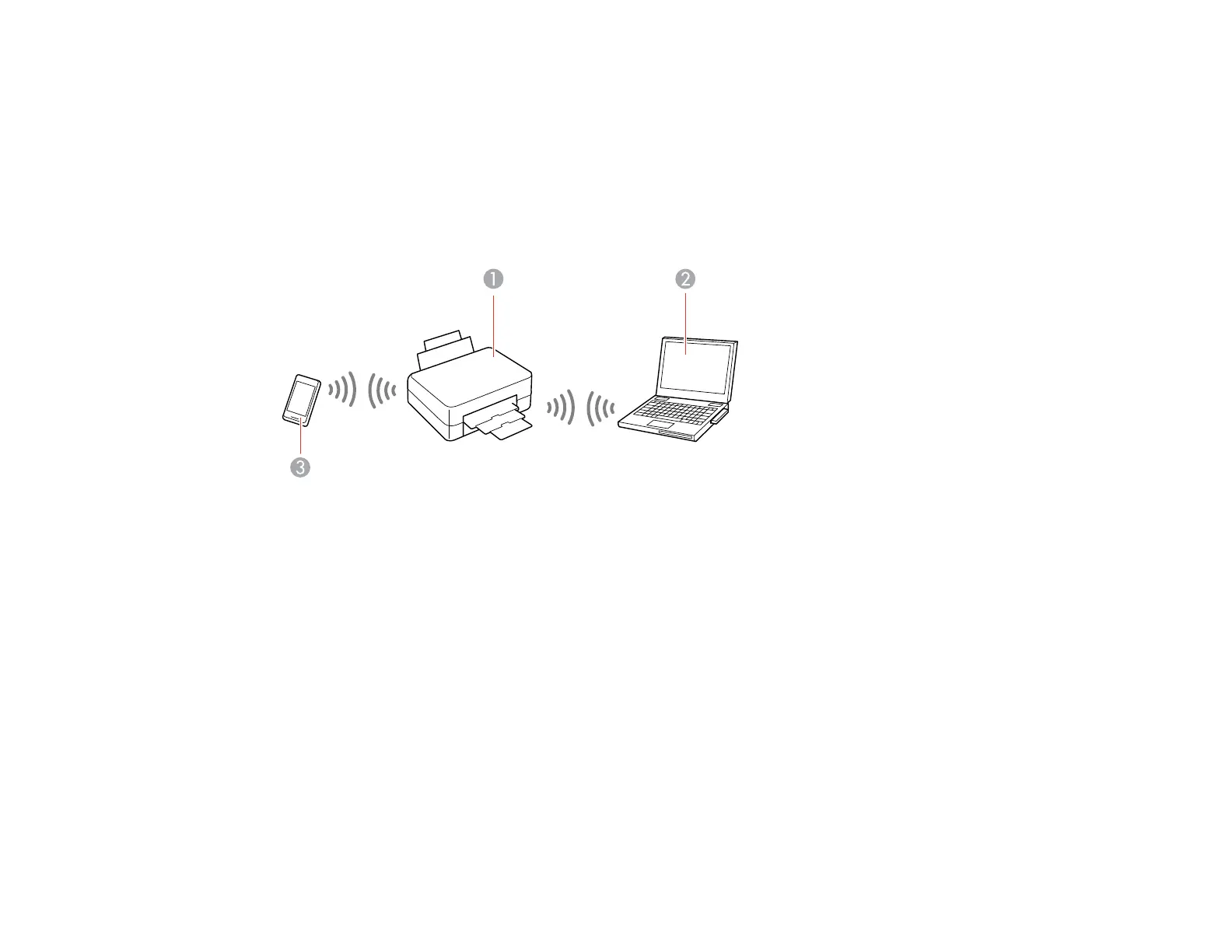
You can set up your product to communicate directly with your computer or another device without
requiring a wireless router or access point.
1 Epson product
2 Computer with a wireless interface
3 Other wireless device
You can select one of these modes to communicate with your computer or device:
Access point mode
The product itself acts as the network access point for up to 4 devices. When operating in this mode,
your product displays an AP connection symbol on the LCD screen.
Peer-to-peer mode
The product communicates one-to-one with another Wi-Fi Direct capable device. When operating in
this mode, your product displays a Direct or D connection symbol on the LCD screen.
To disconnect a peer-to-peer mode connection, release the connection to your product from your
computer or other device.



 To Next Page