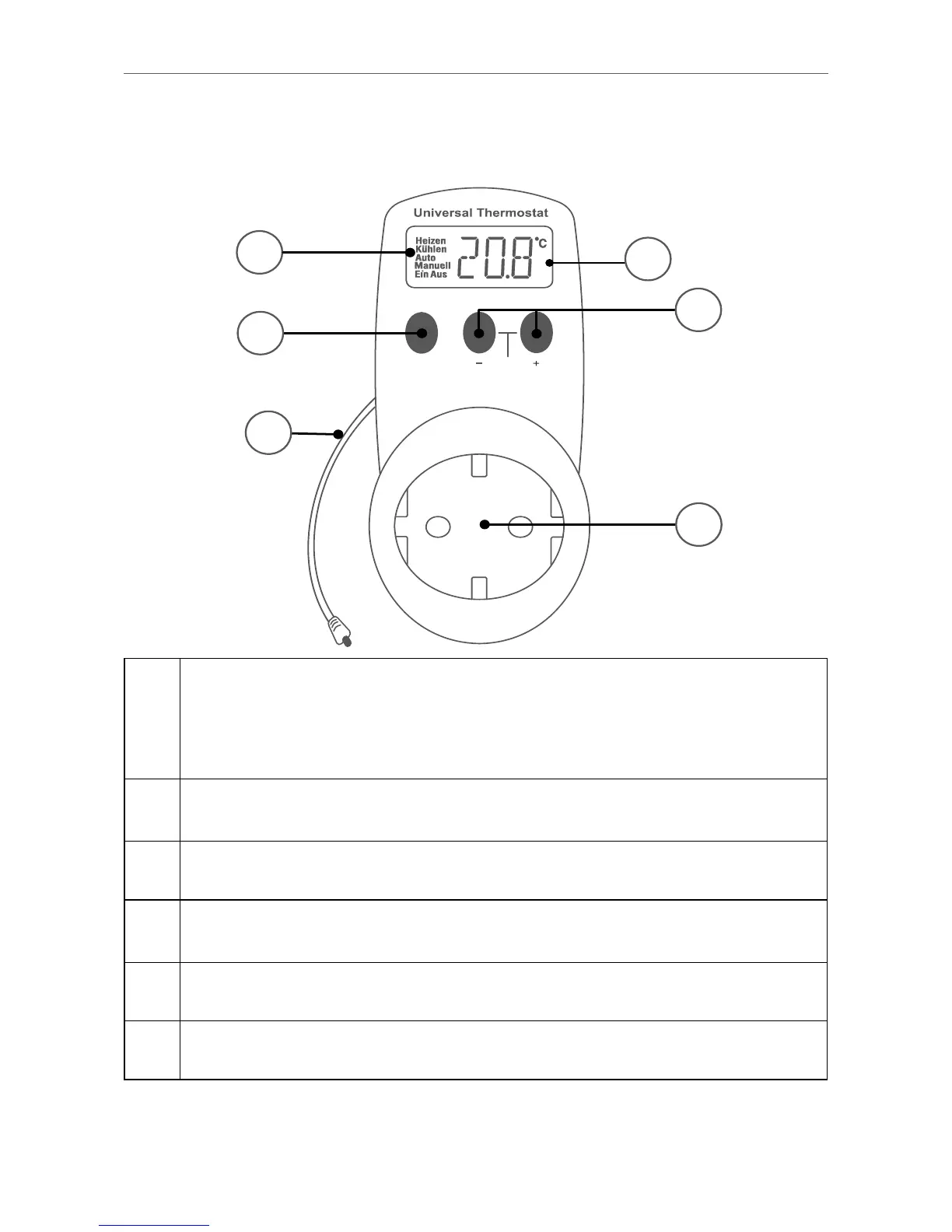
A
Mode display (“Heizen” (heang), “Kühlen”
(cooling), “Auto” (automac mode), “Manuell”
(manual mode), “Ein” (permanently on), “Aus”
(permanently o))
B
Switch between switch-on and switch-o
temperature
C Temperature sensor
D
Display of current temperature as well as switch-on
and switch-o temperature
E Manual temperature seng
F Socket for the load to be connected



 To Next Page