25
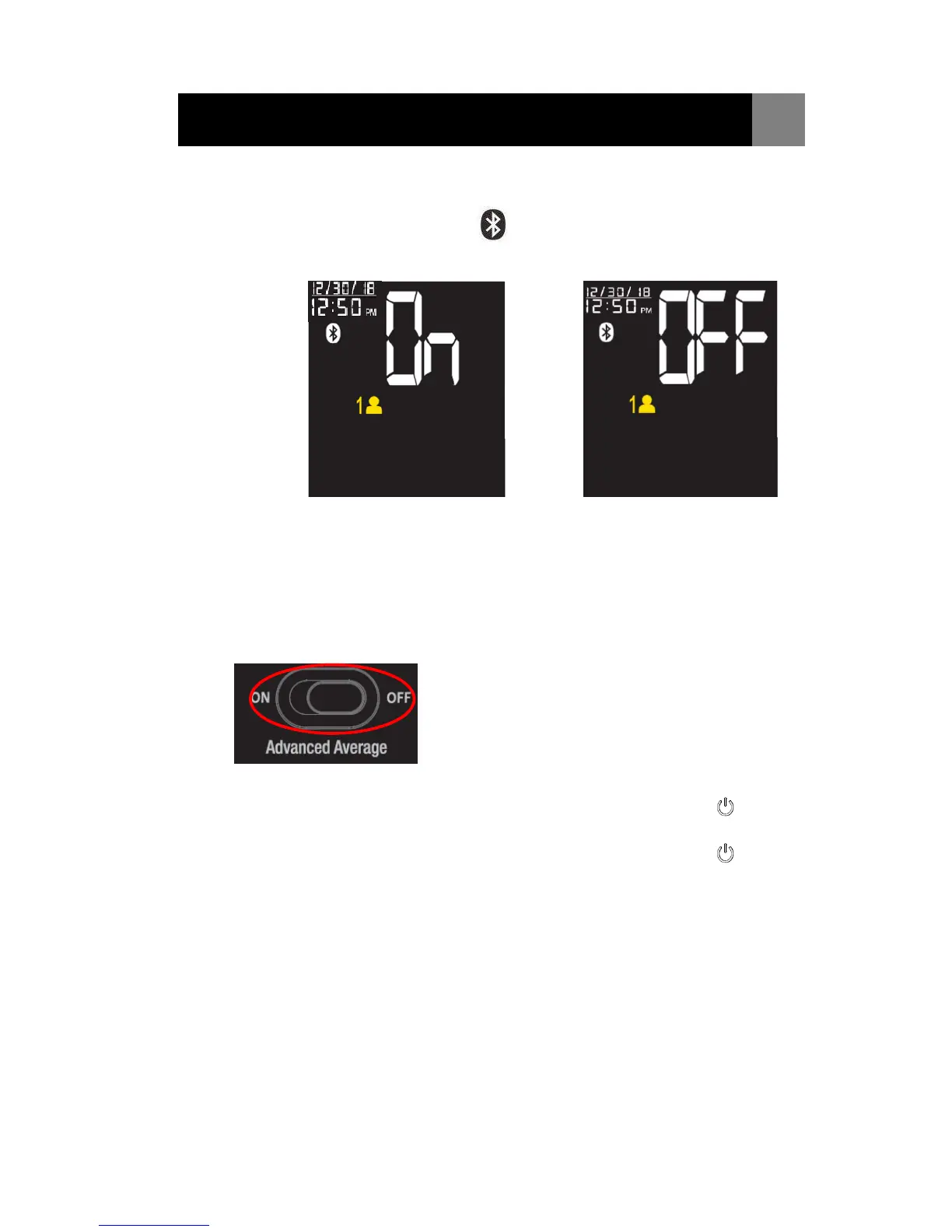
Turning Bluetooth Feature ON/OFF
User can press and hold button 3 seconds to turn the
Bluetooth feature ON/OFF in Sleeping Mode.
Note: The Bluetooth Feature Switch default setting is ON
Taking a Measurement
A. Check and select functions of Advanced Average Mode if needed.
1. If functions of Advanced Average Mode is on, press key to
start an Advanced Average measurement.
2. If functions of Advanced Average Mode is off, press key to
start single measurement.
Note: The Advanced Average Switch default setting is OFF
Measurement Procedure
Bluetooth feature ON
Bluetooth feature OFF


 To Next Page