29
Bluetooth Transmission
To activate Bluetooth function, please make sure your
Bluetooth-enabled device have downloaded APP, and follow pairing
instruction.
There are 2 ways to process Bluetooth Transmission if Bluetooth
function is ON:
Measurement Completed:
1. After measurement
completed, the
device activates
Bluetooth function
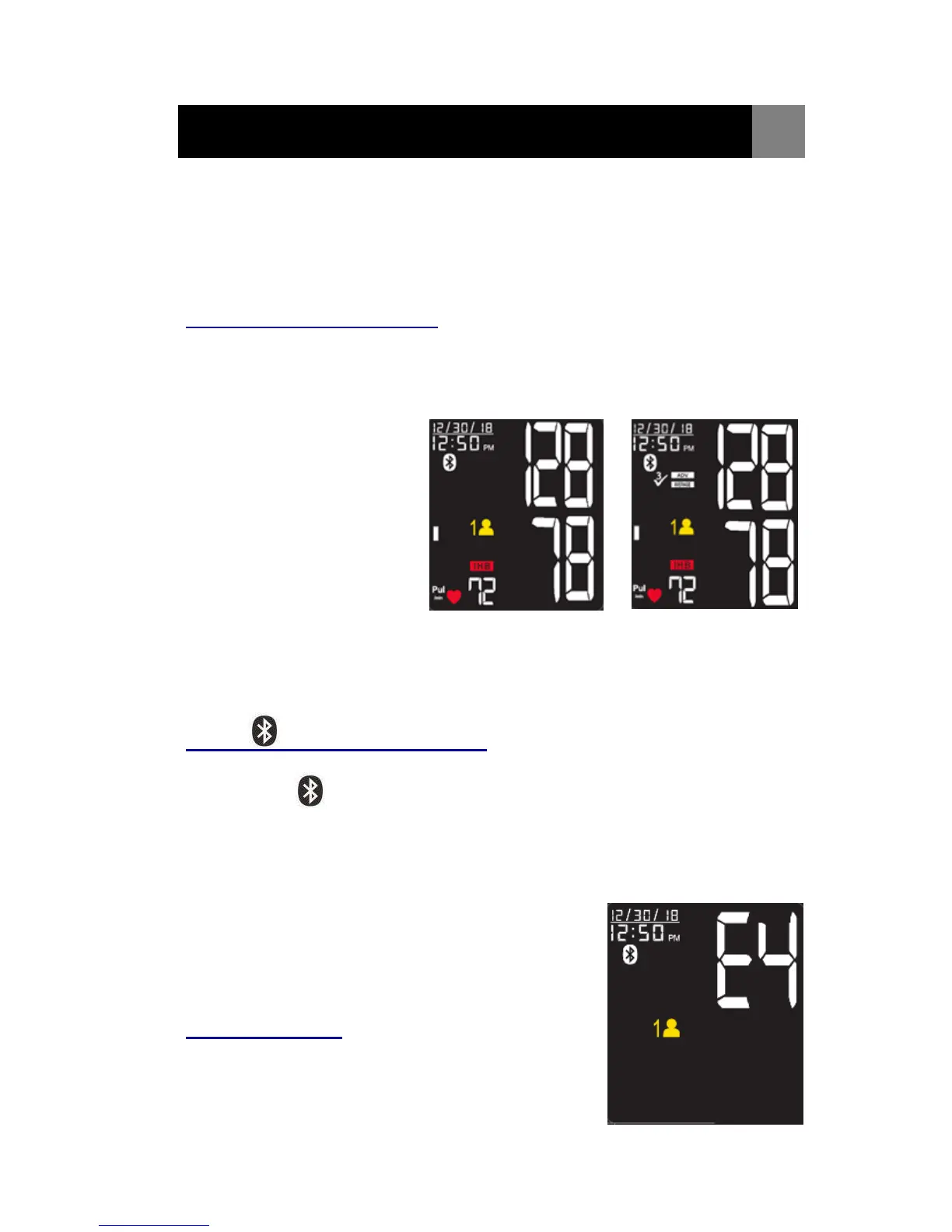
automatically, and the
Bluetooth Symbol will
begin flashing on the
screen.
2. While transmitting the
reading to your
Bluetooth-enabled Device,
HL858CE Bluetooth
Symbol will remain steady on the screen.
3. HL858CE can only pair up with one Bluetooth-enabled device at a time.
To transmit measuring results to other Bluetooth-enabled device,
please retry Steps 1 ~ 2.
Press button for one time:
Under Sleeping Mode and Standby Mode,
1. Press button for one time to wake up the device and starting
Bluetooth function (Bluetooth Symbol flashing).
2. While transmitting the reading to your Bluetooth-enabled
Device, HL858CE Bluetooth Symbol will remain steady on the
screen.
3. HL858CE can only pair up with one
Bluetooth-enabled device at a time.
To transmit measuring results to other
Bluetooth-enabled device, please retry as
mention above.
Fail connection:
If HL858CE cannot be connected to paired
Bluetooth-enabled device over 45 seconds,
LCD will display Error message “E4” and
Bluetooth will be turned off.
ADV Measurement
Bluetooth Symbol Flash
Single Measurement
Bluetooth Symbol Flash


 To Next Page