7
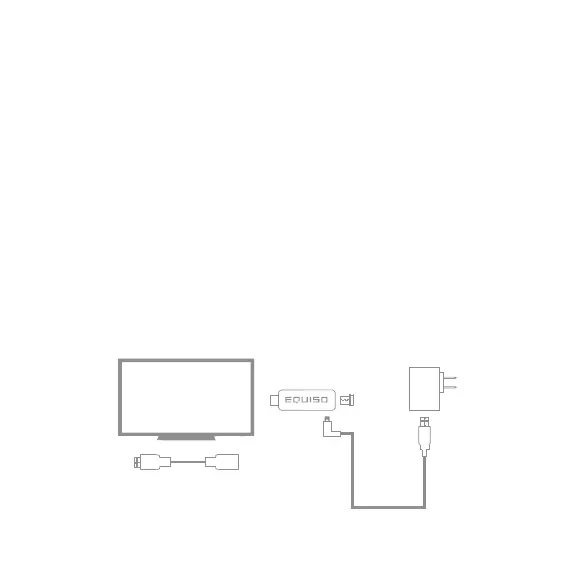
1.7 Connecting the Equiso to Your TV
1. Connect the USB cable end to the A/C adapter.
1a. You may also plug the USB cable into your one amp TV USB port if supported on your TV.
2. Connect the micro USB cable end to the micro USB port on the
Equiso Smart Stick.
3. Plug the Equiso into the HDMI port of your TV.
3a. If it is difficult to access the HDMI port, use the supplied HDMI cable to connect the Equiso Smart
Stick to your TV.
4. Make sure your TV or home theater receiver is set to the HDMI input
where the Equiso is connected.
HDMI Cable (optional)


 To Next Page