6
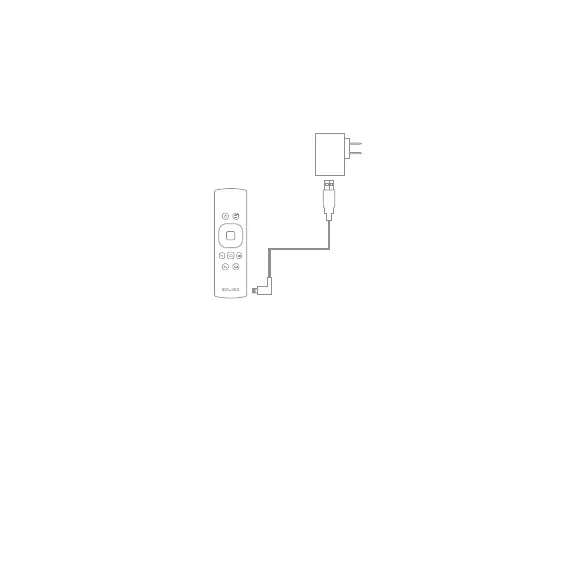
1.6 Charging the Remote
1. Connect the USB cable to the A/C adapter.
2. Connect the micro USB cable end to the micro USB port on the
remote.
3. Charging is complete when light is blue.
Notes: Blue light indicates fully charged.
Blue blinking light indicates power is low.
Red light indicates charging.


 To Next Page