Installation
Settings
-8-
Turning On/ Off
To turn on the indoor handset, press and hold .
To turn off the indoor handset, press and hold .
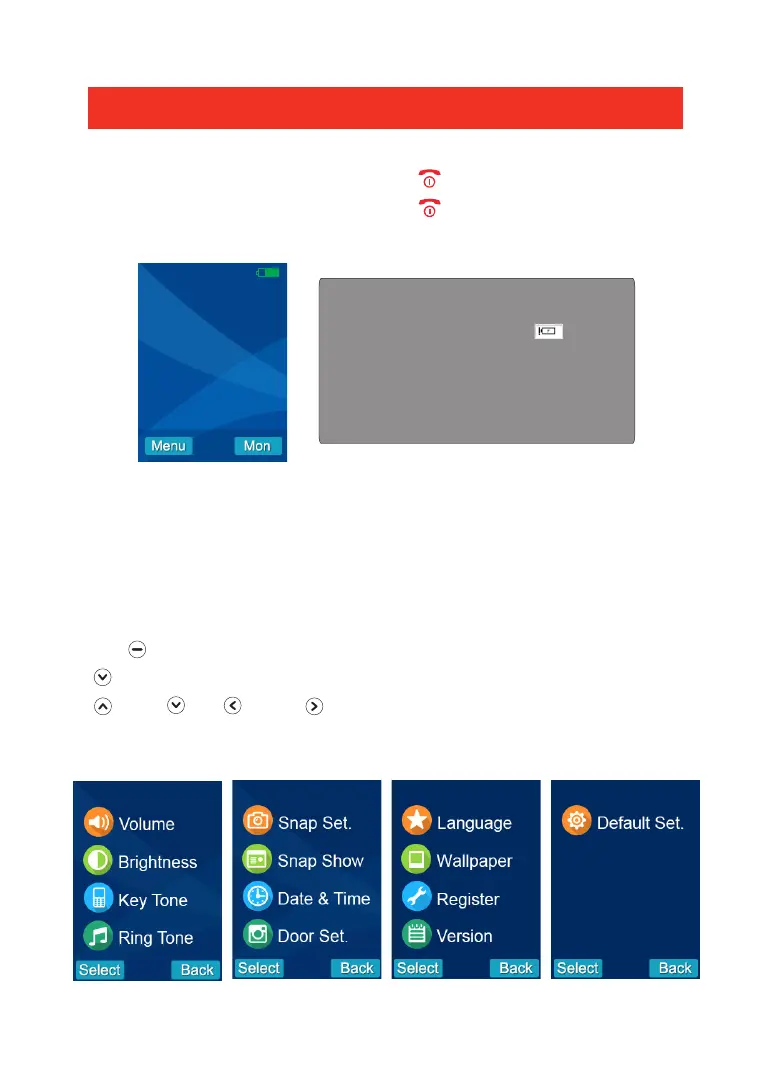
When you turn on the video handset, the screen below will be displayed:
Note: When the video handset battery
is low the low battery icon will be
displayed on the screen and a warning
tone will sound. Replace the batteries
with an equivalent type.
15:36
Setting the Volume & Brightness
The volume and brightness can be set when in standby mode and during a call.
From the “Home” screen Press Right or Left to increase/decrease the volume.To
increase/decrease the brightness press Up or Down.
Setting up a Menu Function from the Video Handset
Press to select the Menu Screen. To view and edit a menu function scroll down
to select the required function, when highlighted press the select key. Press up
, down , left or right to set your chosen option, then press select to set
and return to the main menu. To return to the main menu without making a change
to any function press the Back button.


 To Next Page