C
C
M
M
L
L
I
I
n
n
t
t
e
e
r
r
n
n
a
a
t
t
i
i
o
o
n
n
a
a
l
l
S
S
.
.
p
p
.
.
A
A
.
.
Art.070 User Guide EN 19
3.3 PROGRAMMING A BEND ON DIGITAL MODELS – ART. 070 AND 071
NOTE. Only for Digital Medi Bender Art. 070 and 071.
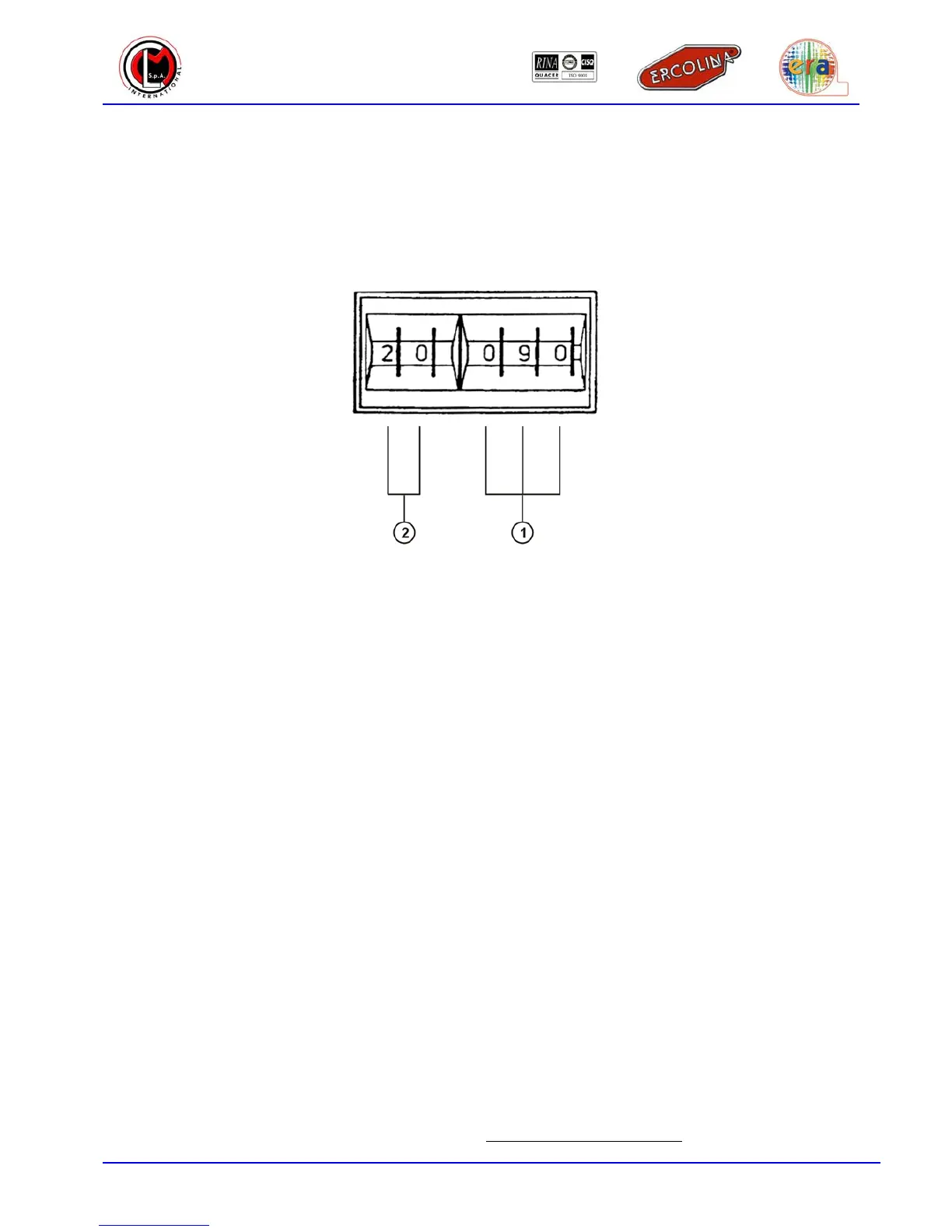
Make sure that the hexagonal shaft and the assembled former are set to the reference point. Program the
desired angle by setting the central degree setting unit. Once this is done, the machine is ready to perform
an angle. If material elasticity is known, also the spring back angle can be programmed on the first two
degree selectors. If such value is not known it will be saved later.
1
Bending angle selector
2
Spring back angle selector
3.4 BENDING OPERATIONS WITH DIGITAL MODELS – ART. 070 AND 071
NOTE. Only for Digital Medi Bender models Art. 070 and 071.
The machine is now ready to bend. To bend observe the following instructions:
a. Press the switch rightwards [Bend] or press the pedal [Bend]. The former will rotate and the tube
will be bent to the angle value. As soon as the bending will be completed the machine will
automatically stop and the display will show the bending angle value and the spring back angle
value (selected values will be kept in memory even if the machine is turned off).
b. Press the bend/return switch leftwards [Return] or press the foot switch pedal[Return] and the
former will rotate on the other sense returning to the point of reference position, allowing to remove
the bent tube.
3.4.1 HOW TO REGAIN THE SPRING BACK ANGLE
Observe the following procedure if the spring back angle has not been selected:
a. Push the bend/return switch rightwards [Bend] by inpulses, or press the pedal [Bend] by impulses
until the tube visibly starts to bend.
b. Stop the bending process and read the angle value shown in the display.
c. Select the value read on the first two selectors, this is the spring back angle.


 To Next Page