10
CML International S.p.A.
By pressing minus button
for 4 seconds while the program number is
displayed, all the previous stored data will be lost and new data can be
memorised.
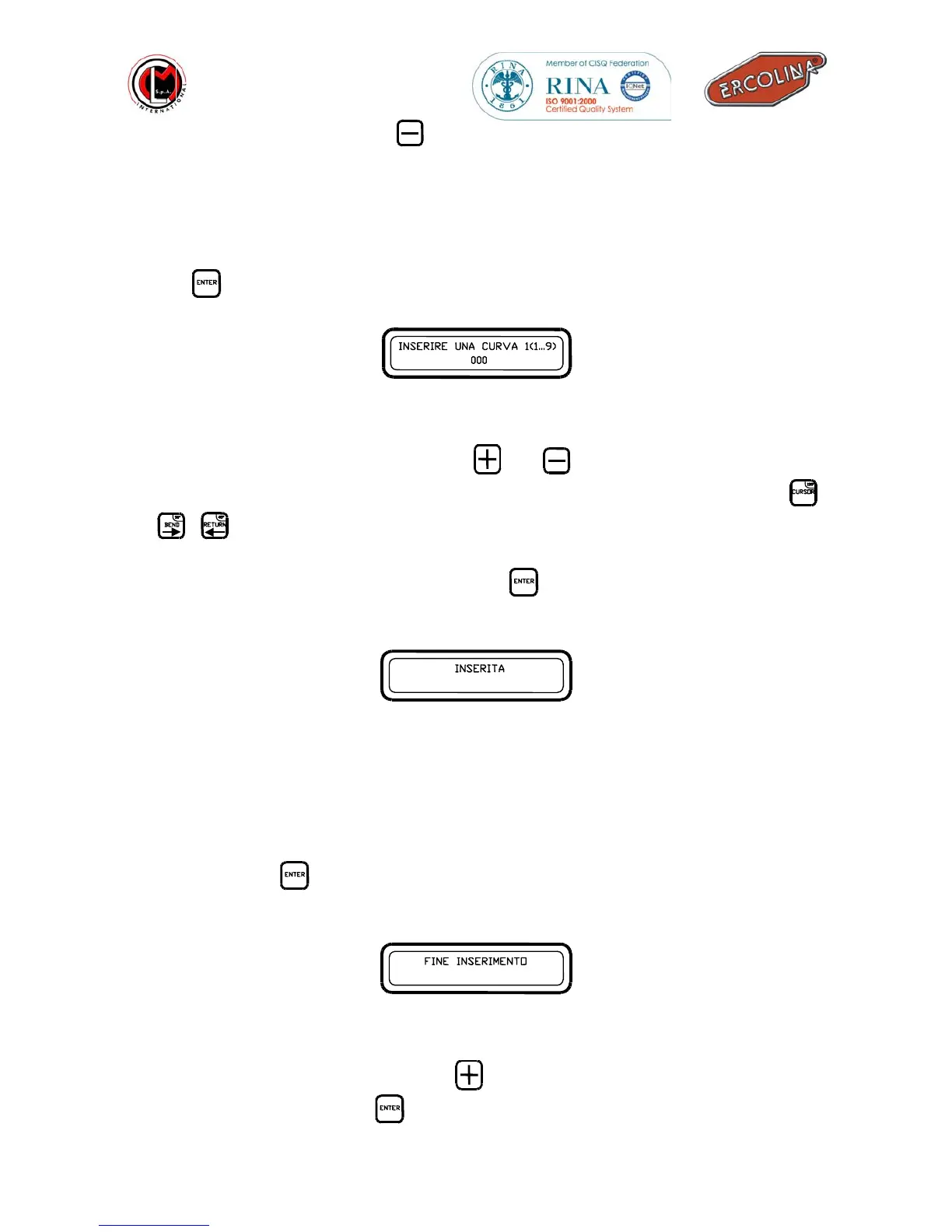
4. Once the group has been selected and it is ready to be programmed, the display
will show as below ; you may now insert the bend angle value and store it with
the
button.
Insert bend angle
5. To insert the bend angle values press
and
buttons to increase or decrease
the value of the bend angle values or it will be possible with the use of the
,
,
to insert quick bend angle values such as 135°, 90° e 45°.
6. To store the bend angle values press the
button and the following message
will appear on the display:
Stored bend angle
7. Once the first bend angle has been inserted, the program will automatically ask
for the second bend angle which can be inserted in the same way as the first. The
same can be done for the third, the fourth and so on until the ninth of the same
group by repeating steps 5 and 6. If instead you wish to end the data entry you
must press the
button without inserting any angle value the display will show
:
End of data storage
8. For programming new groups press
button and repeat steps from 3 to 7.
To end data storage press
.
INSERT BEND 1(1…P)
000
STORED
END OF DATA ENTRY



 To Next Page